
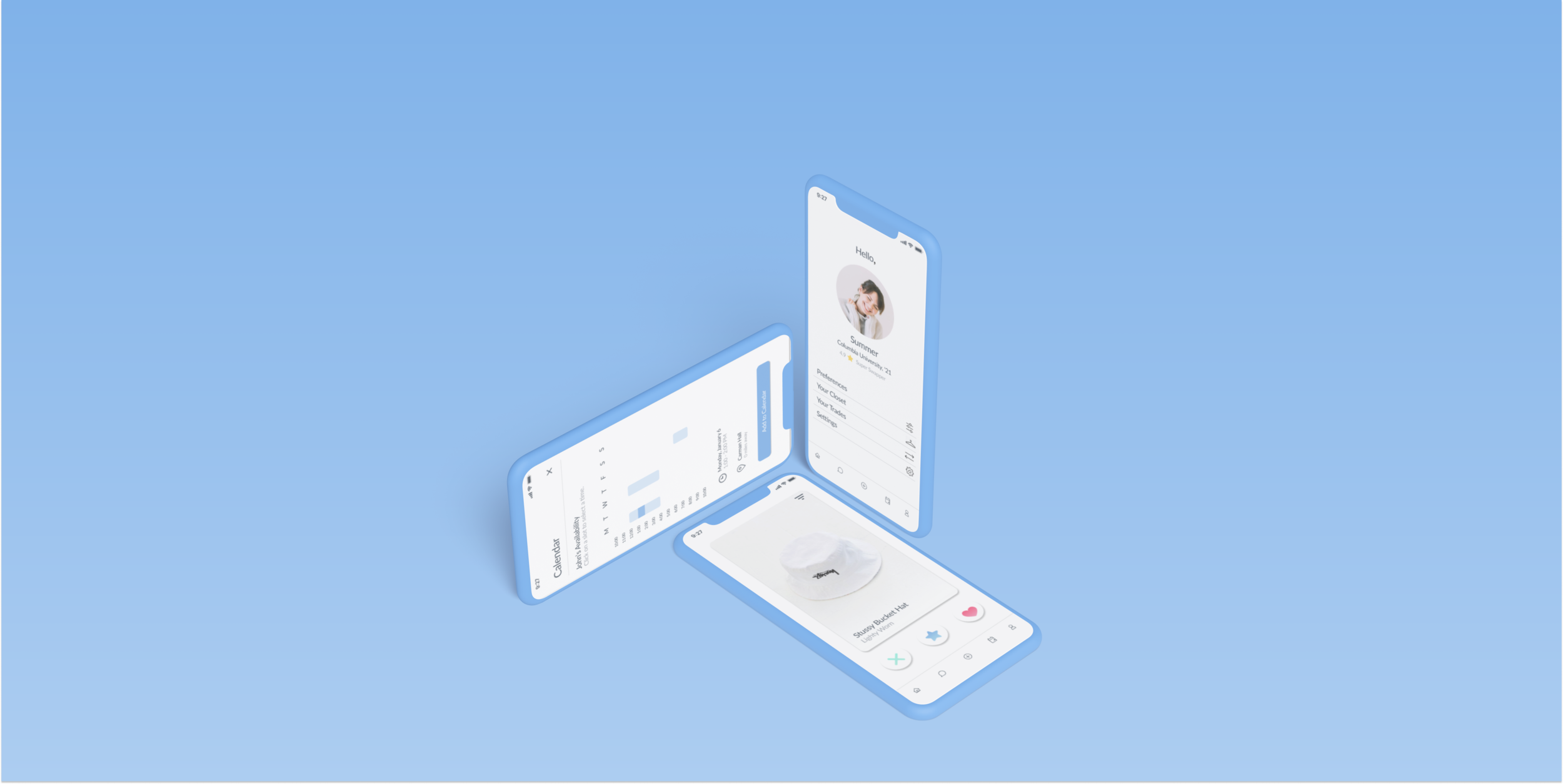
CLO
U X D E S I G N
CLO
An exploration in designing a shared economy around fashion.
O V E R V I E W
About the Project
We were tasked with designing a sustainable solution to fast fashion on college campuses.
As a founding member of the UX Design Lab at Columbia, I led a team of design, engineering, and business majors through this self-initiated design sprint.
TEAM
Sharon Jia, Ismael Barry, Ji Yeon Kwon, Kareem Abukhadra, Rachel Lau
TOOLS
Figma
TIMELINE
3 week design sprint led by former UX interns at Google and Airbnb
MY ROLE
User Research, Ideation, Interaction Design, Visual Design
B A C K G R O U N D
The Problem Space
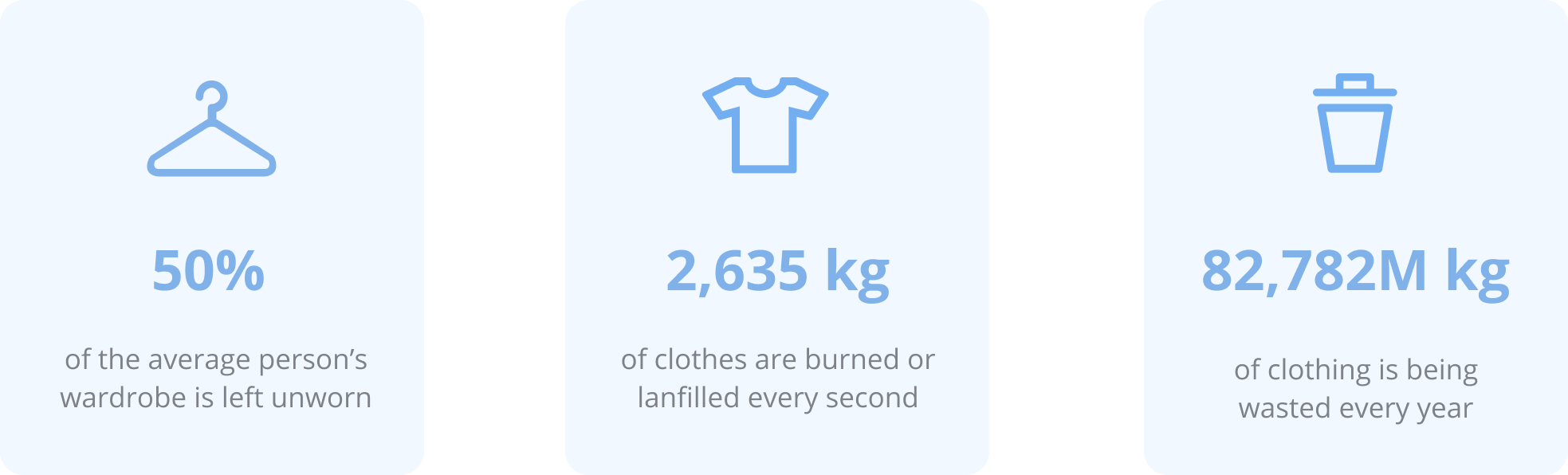
Many clothes are left unworn in people’s closets, yet people are still buying new clothes, leading to detrimental amounts of textile waste.
Even with so much left unworn, people still feel they have no clothes to wear and are constantly looking for new clothes. As a result, many people buy into “fast fashion” brands such as H&M and Forever 21, which fulfill our desire for cheap, new clothes, but have detrimental effects on the environment. This also means the clothes they do not wear only end up getting pushed further back in their closet, taking up more room and space.
D E S I G N O P P O R T U N I T Y
Our Solution
CLO uses the untapped, opportunity space of idle clothes to recapture the magic of shopping and receiving new clothes, ultimately providing a sustainable alternative to fast fashion.
Inspired by dating apps, CLO creates “matches” between people looking to swap their idle clothes, benefiting both parties by taking one’s untapped clothing, and reframing them as exciting, new clothes for others. Our app provides a more sustainable alternative to fast fashion by creating a shared, circular economy around fashion while simultaneously satisfying our desire for the cheap, new clothes.
K E Y F E A T U R E S
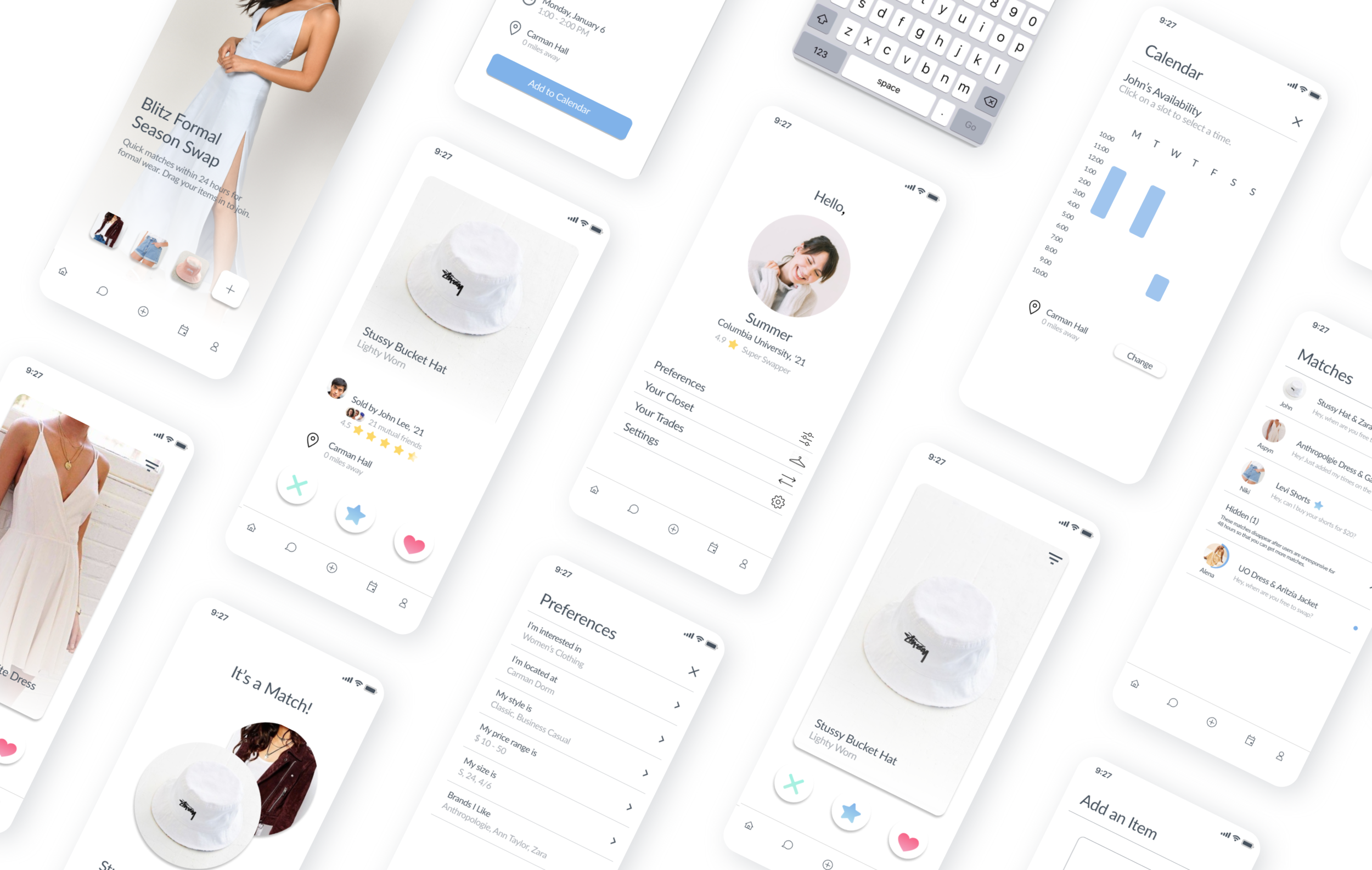
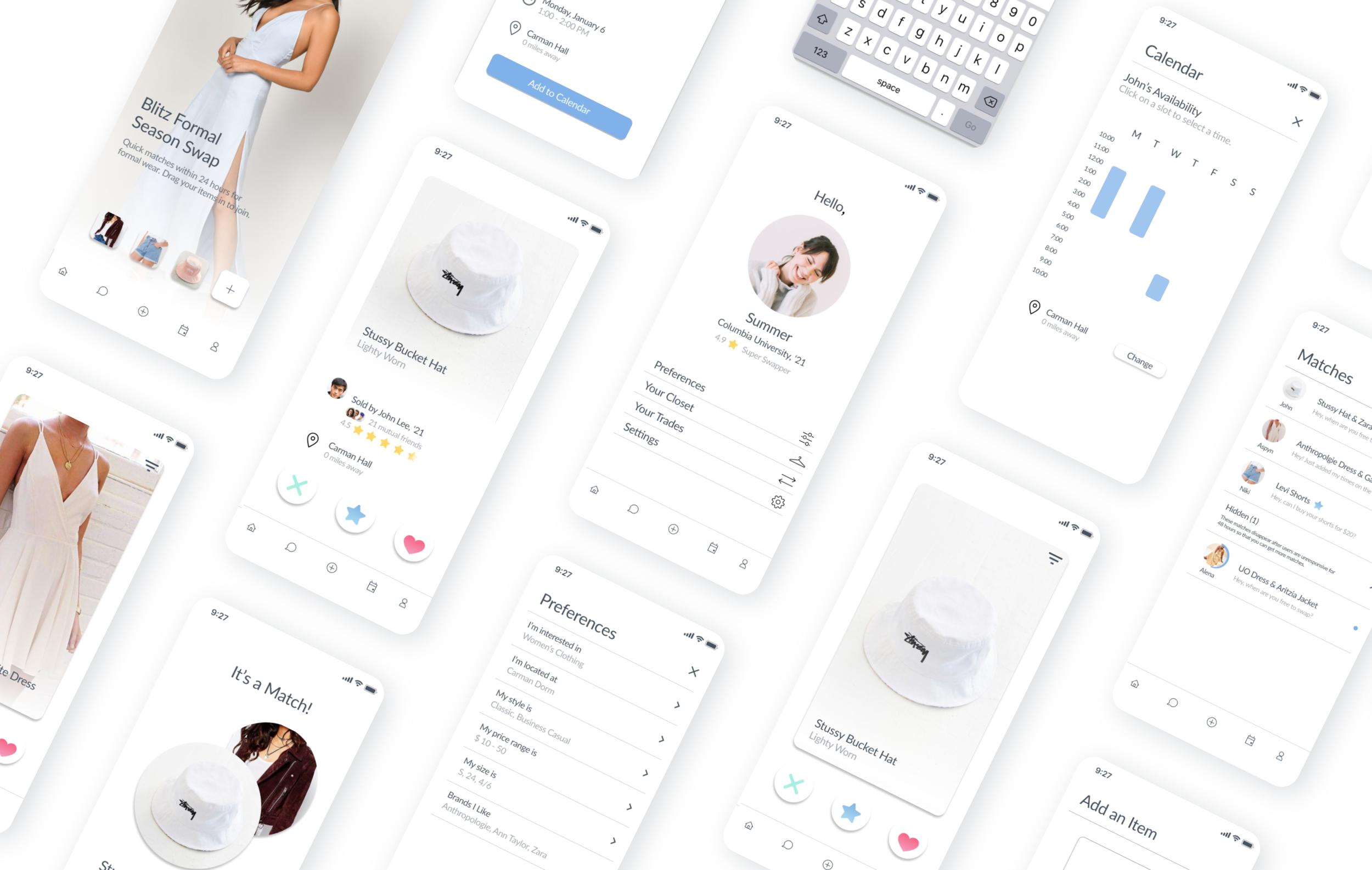
Product Preview
Start Swapping
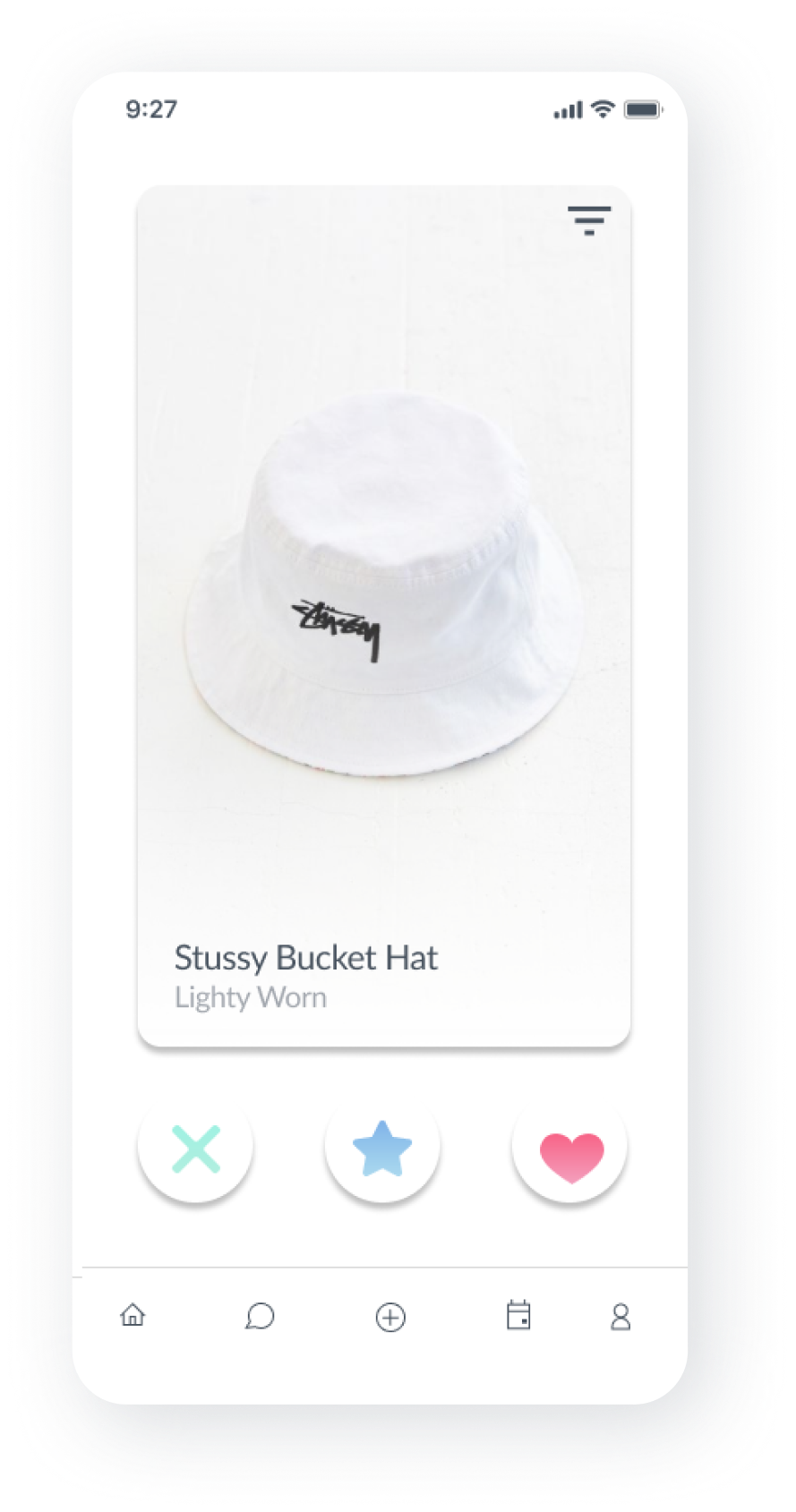
Swipe through items based on your preferences, and like the ones you are interested in.
After uploading an item you want to swap, you can start swiping through clothes, pressing the heart if you like an item or the X if you do not. Similar to dating apps, if two users mutually like an item, they will be matched.
Find Matches
Using a dating app framework, when another user has mutually liked your item, you will be matched with them.
These matches serve as a connection point, allowing you to find items of clothing to swap with.
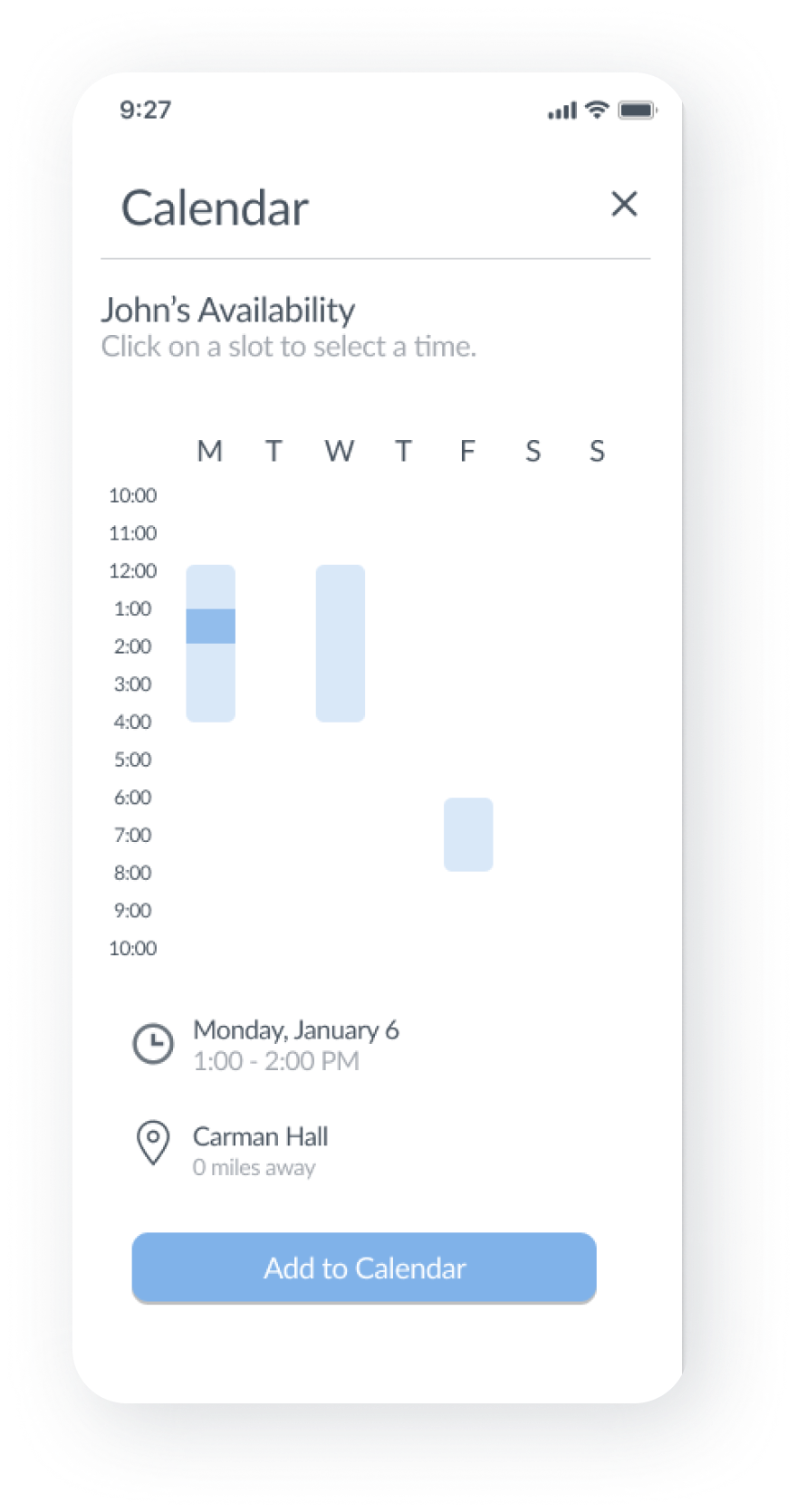
Easily Schedule Meet Ups
Use our calendar feature to easily set up a time and location to meet up and complete the swap in person.
In order to prevent flakiness and reduce barriers in meeting up, there is a calendar feature to easily schedule a time and location to meet up, which can also be synced with your calendar.
O U R A P P R O A C H
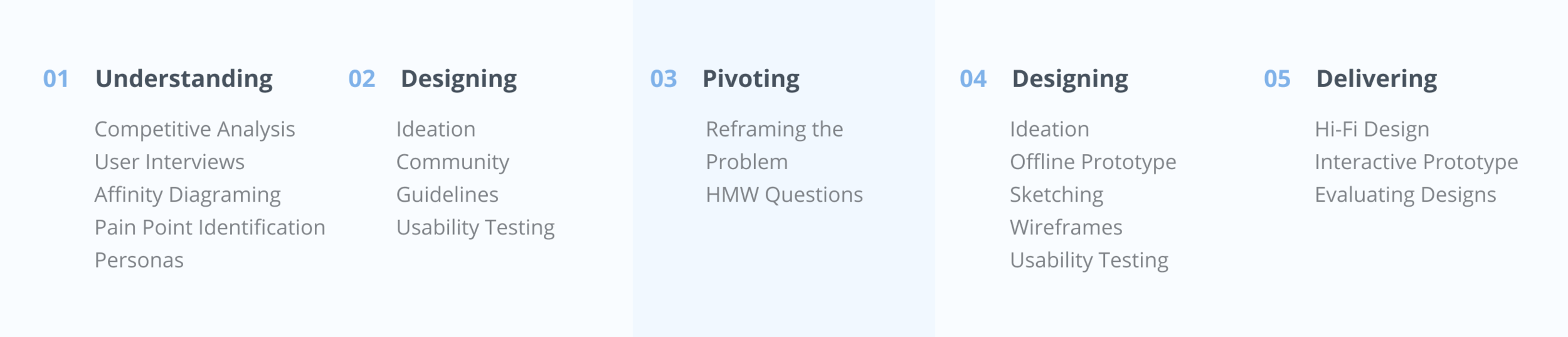
Process
_
P H A S E I : U N D E R S T A N D I N G
Understanding Shared Economies
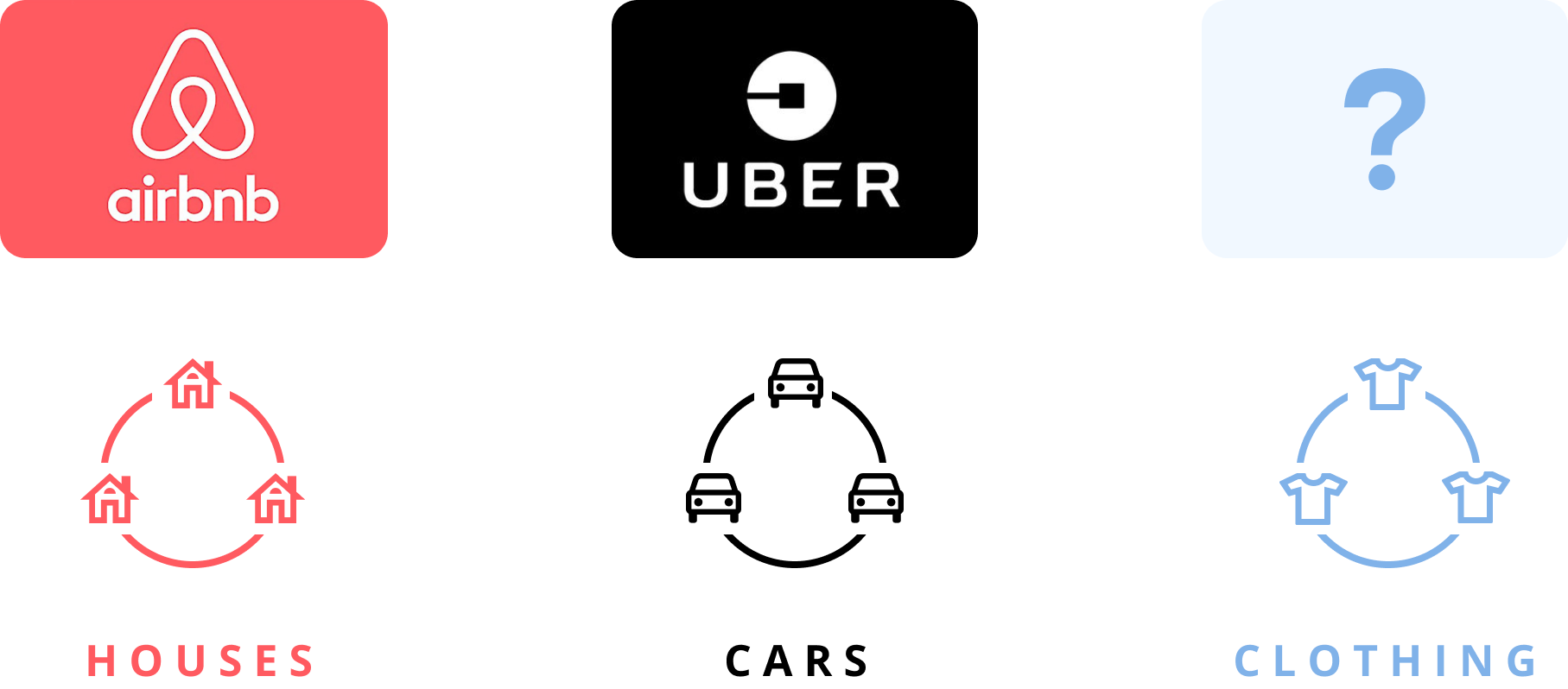
Since Airbnb changed our perception of staying in a stranger’s home and UBER changed our perception of riding in a car with strangers, we were curious to understand why there was no company that has been able to create a shared economy for clothes in the same way.
We began by conducting secondary research on 20 startups exploring the sphere of selling, renting, and buying clothes, and analyzing the successes and failures of each company. After our contextual research, we wanted to go straight to our users to understand their pain points surrounding clothing exchange.
User Interviews
To gain a better understanding of the pain points surrounding sharing clothes, we conducted 30+ in-person and on-call user interviews, which gave us insights on the motivations, pain points, and successes of the current clothes exchange experience on college campuses.
We interviewed students in the Barnard Buy Sell Facebook Group to understand how the current system of buying and selling works on campus, and to understand the pain points surrounding it. We wanted to understand when and how people on campus were willing to share or trade clothes on campus. We recorded the motivations, pain-points, and successes of their experiences onto post it notes, using affinity diagraming to group together similar concepts.
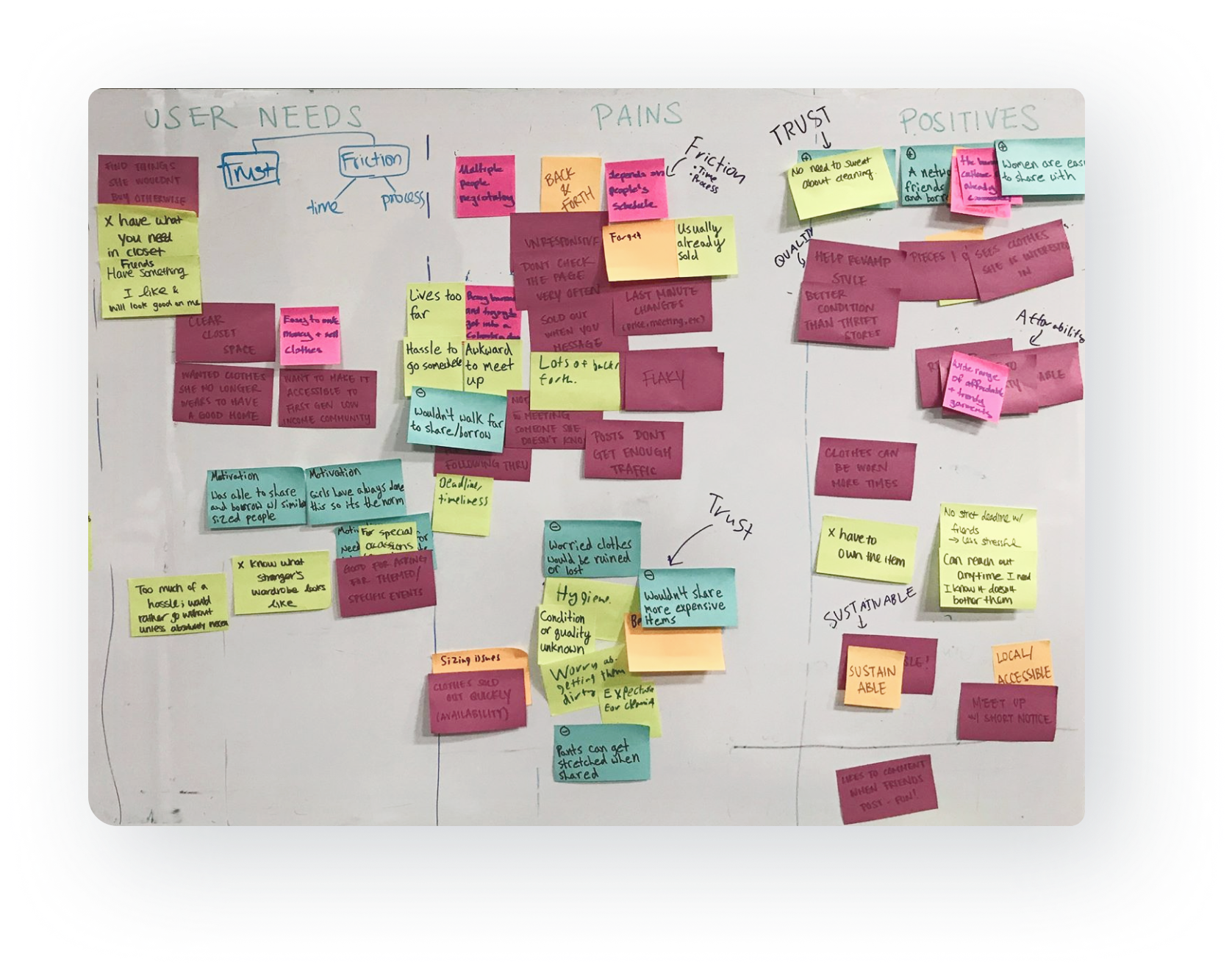
30+ User Interviews, Affinity Diagraming, Pain Point Identification
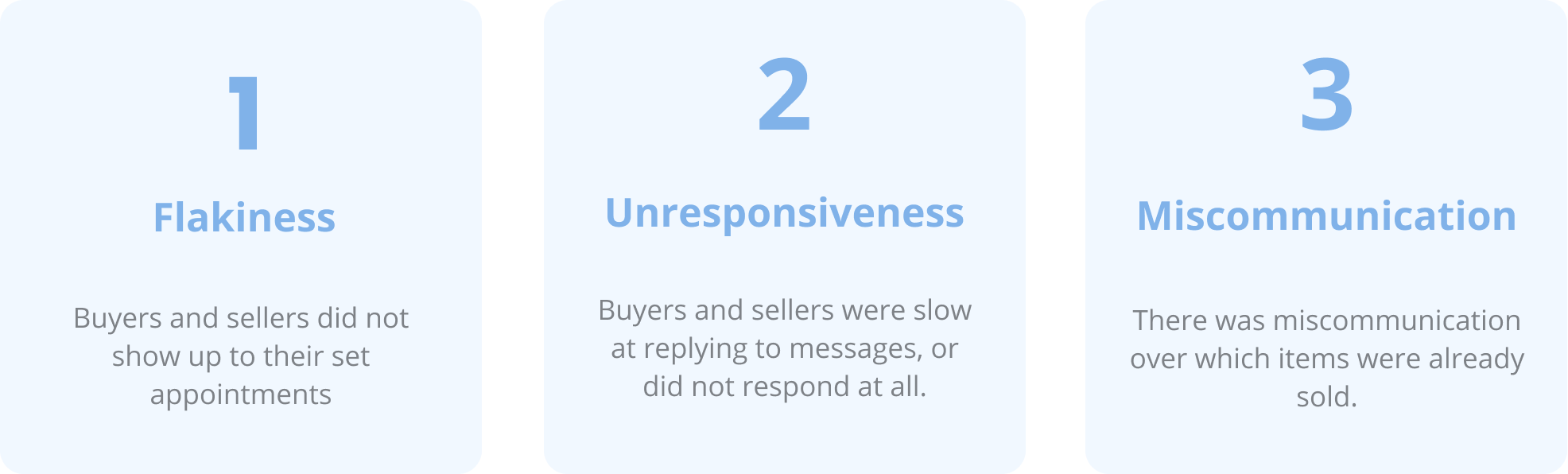
From our user interviews, we identified and grouped together insights from our research using post-it notes to produce 3 key pain points to address in our design solutions.
3 Key Pain Points
From our affinity diagramming, we produced 3 key pain points in the current system.
Personas
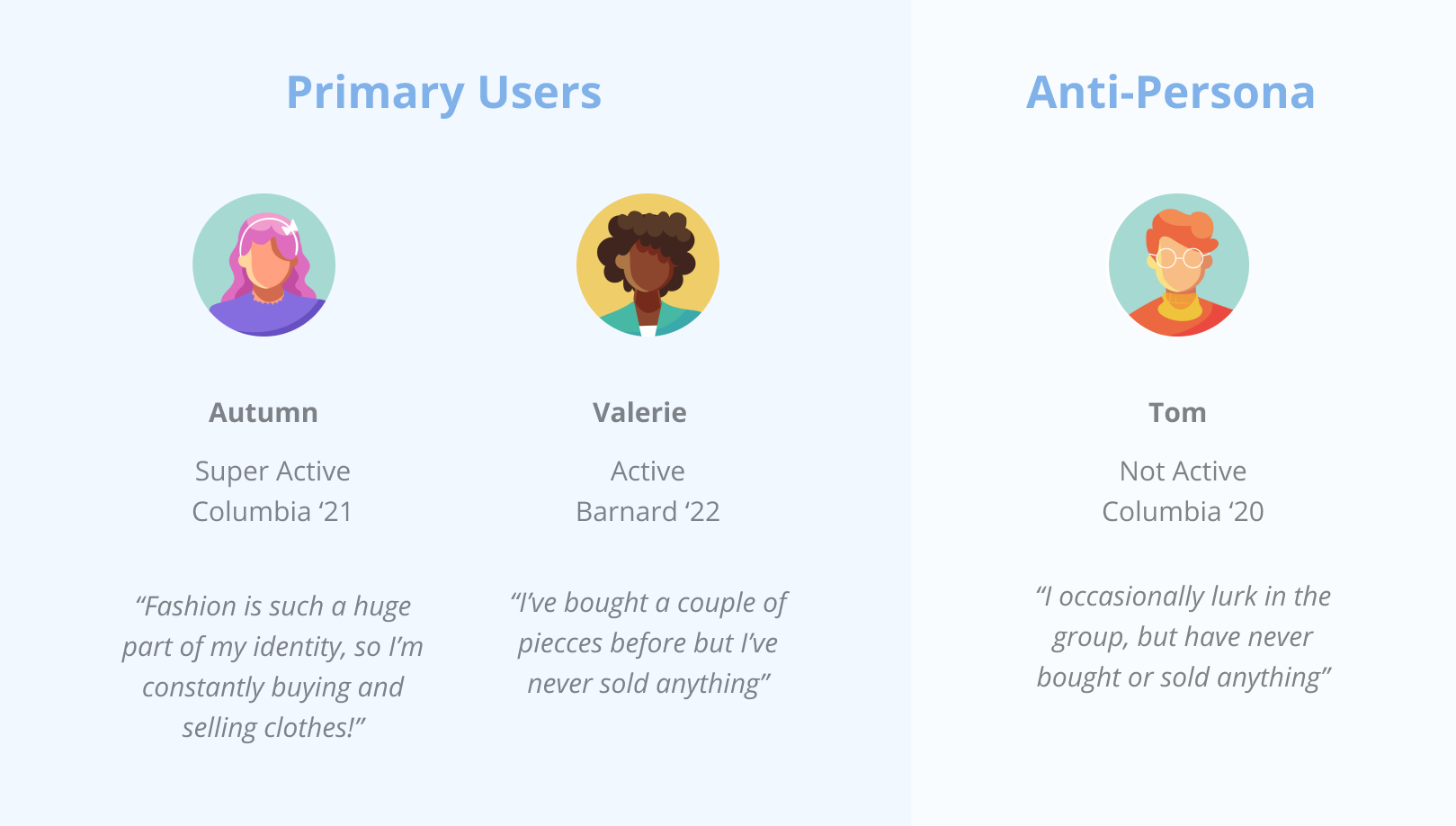
To guide our design process and enable everyone on the team to empathize with our users, I came up with the following personas for the 3 main user archetypes in the group. We created 2 personas for typical users, as well as an anti-persona to remind ourselves who we were not designing for.
_
P H A S E I I : D E S I G N
Designing for Pain Points
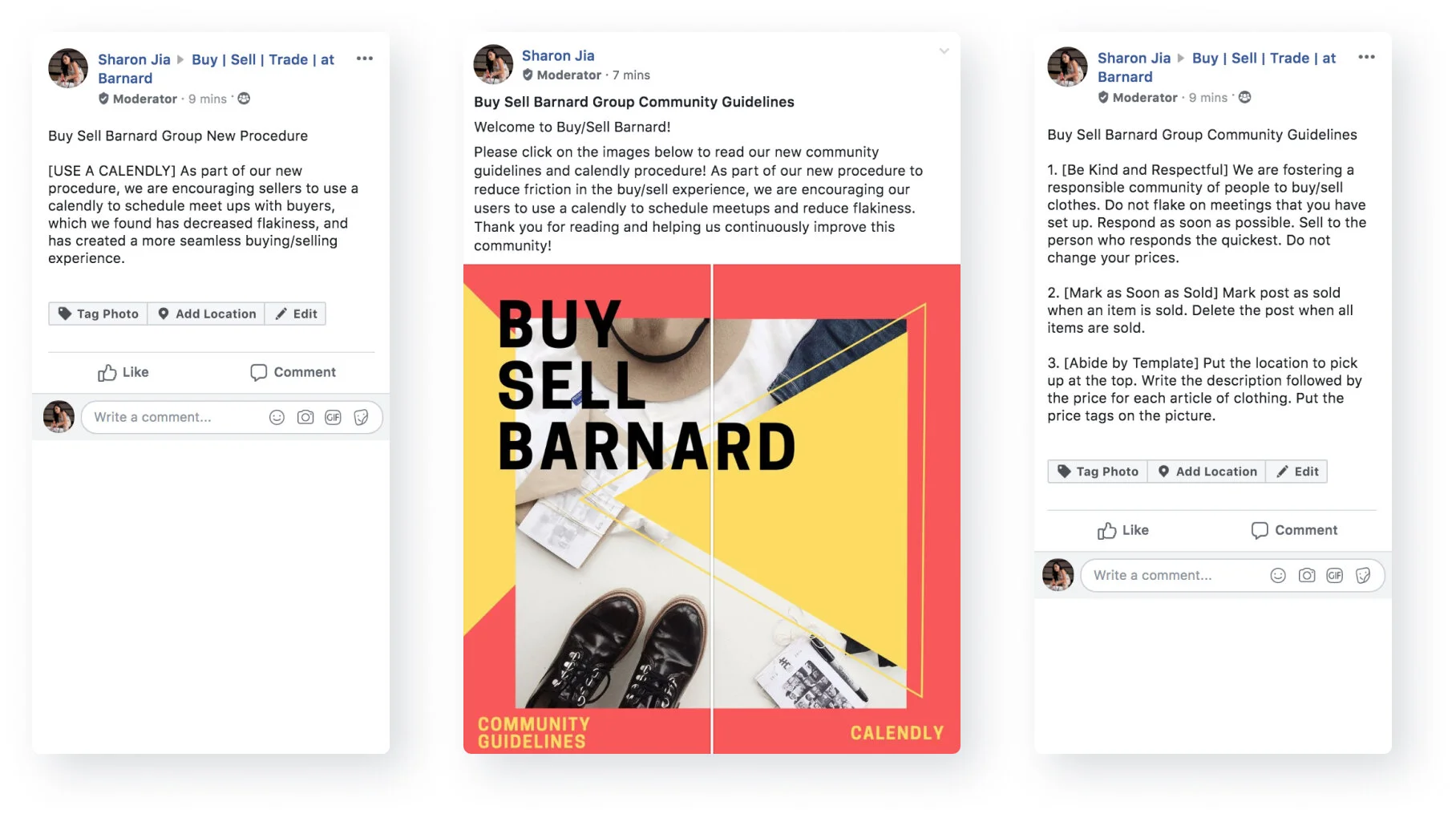
We spent a week iterating through and delivering the design solutions we decided on to address these three pain points, including writing and publishing a set of community guidelines, which our users thought helped with the flakiness and unresponsiveness in the group.
D E S I G N S O L U T I O N
Creating a Set of Community Guidelines
I became the moderator of the Barnard Buy Sell group, and drafted a series of community guidelines that addressed the 3 pain points we identified: flakiness, unresponsiveness, and miscommunication.
_
P H A S E I I I : P I V O T I N G
Pivoting
We realized from more user interviews that although it was frustrating that people were flaky and unresponsive, the overall process of buying and selling worked at Barnard and Columbia. By focusing the issues in the group, our team lost sight of the larger problem we were trying to solve, and narrowed our scope down so much that we were no longer solving a real problem.
Reframing our Problem
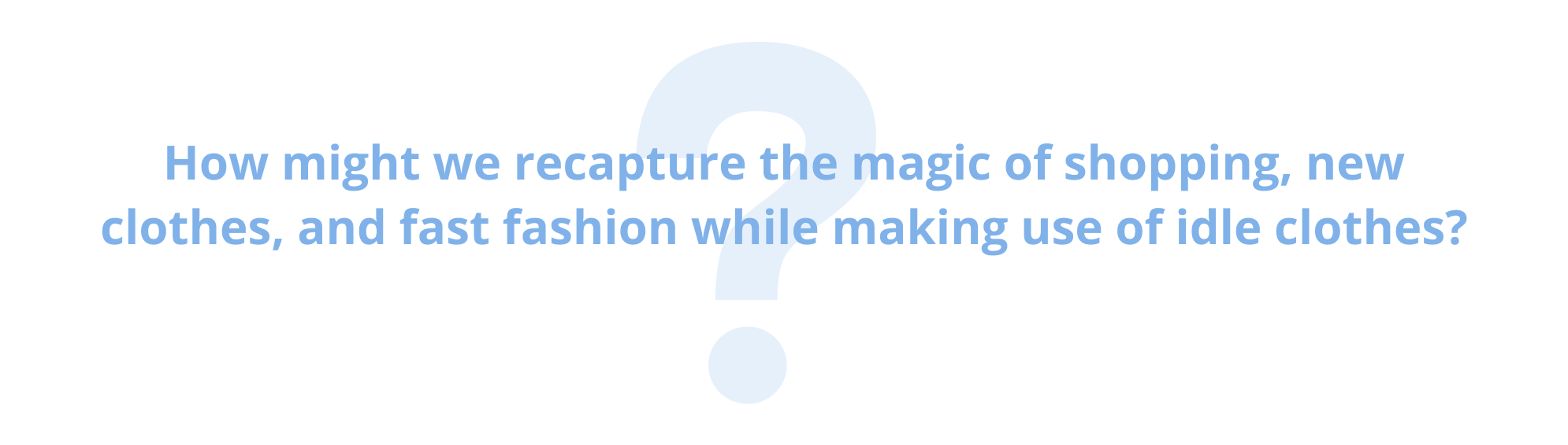
After this realization, I initiated a group discussion to re-evaluate our users’ problems from a wider perspective. We shifted from trying to focus on improving the Columbia Buy Sell Group to the larger problem we were interested in: making use of the opportunity in idle, unworn clothes by creating a shared, circular economy around fashion. Thus, we reframed the scope of our design using a HMW question:
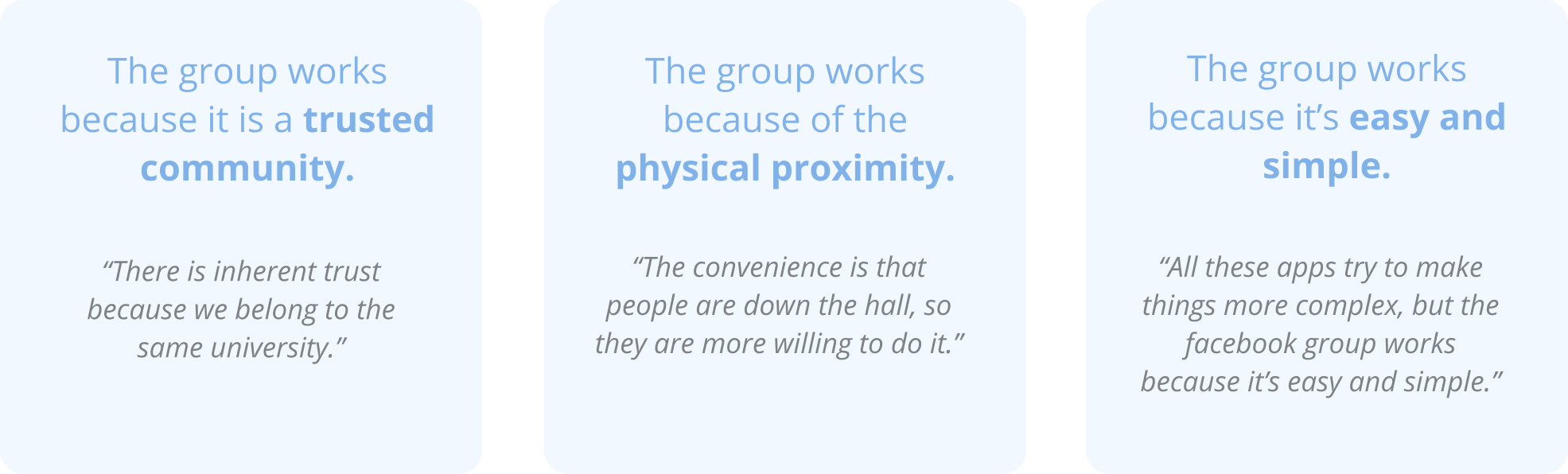
We also revisited some key insights from our original user research on why the Facebook group so successful to keep in mind while devising our design solutions:
_
P H A S E I V : D E S I G N I N G
Pivoting
With the framework of these HMW questions and insights, our team diverged and each came up with several design solutions, of which there were two main themes: an offline swapping experience and a digital swapping experience. Due to feasibility, we decided to prototype the offline experience first to quickly validate whether or not swapping clothes would be compelling for our users.
Offline Prototype
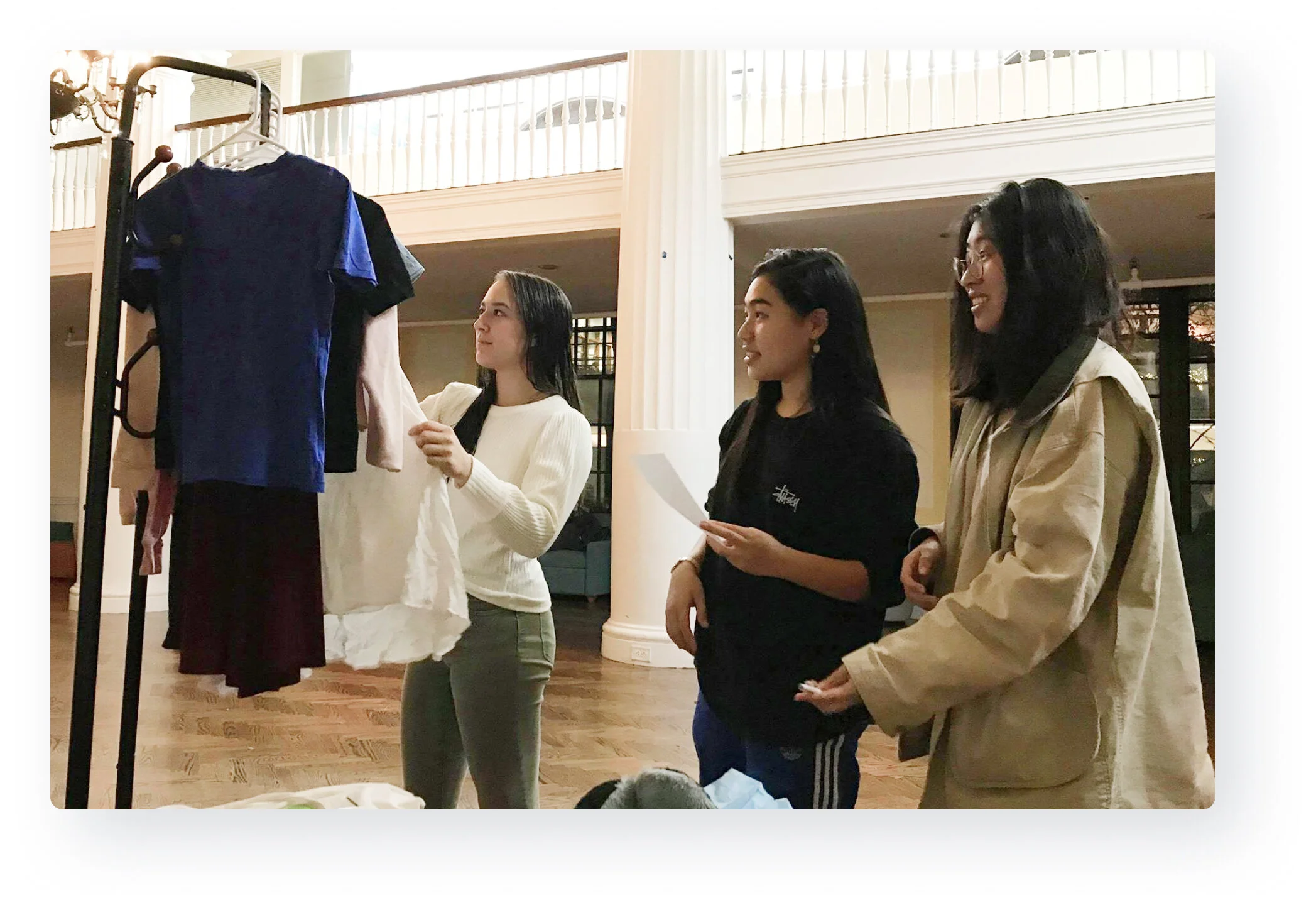
We first designed an offline clothes experience for swapping clothes to quickly validate if swapping clothes would be compelling for our users.
Offline Prototyping, Role Playing, Observation, A/B Testing
We prototyped an offline clothes swapping experience with six users to gain insight into how a circular economy around fashion would work, and validate if users would be interested in this model.
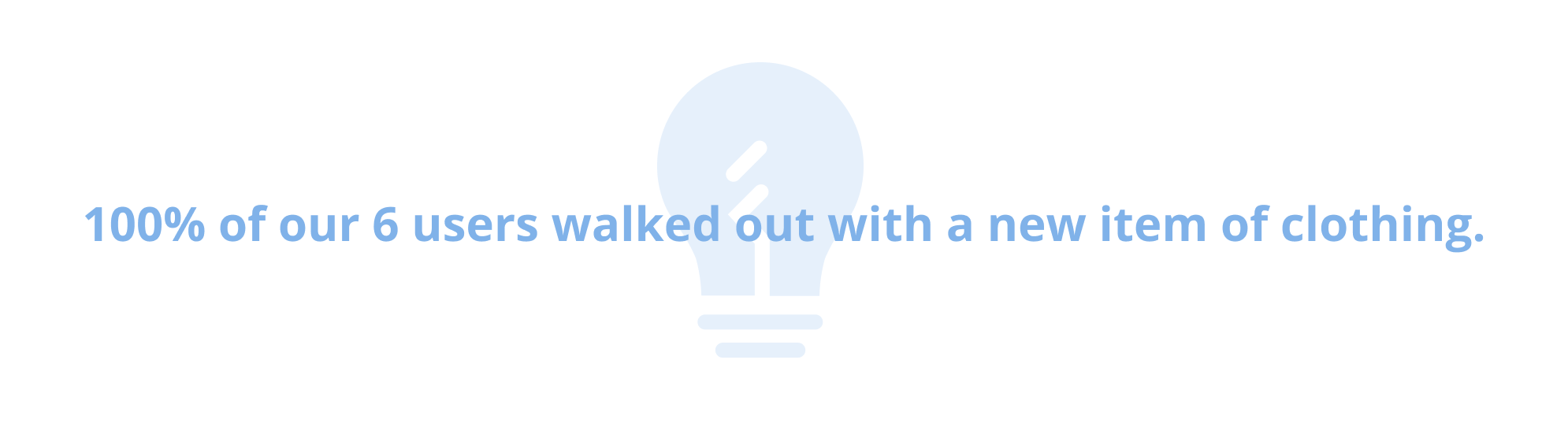
Our event concluded with a 100% swapping rate, allowing all six of our users at the event to walk out with a new item, which validated our hypothesis that (1) users were interested in a clothes swapping experience and (2) swapping clothes is a successful model to creating a circular clothes sharing economy.
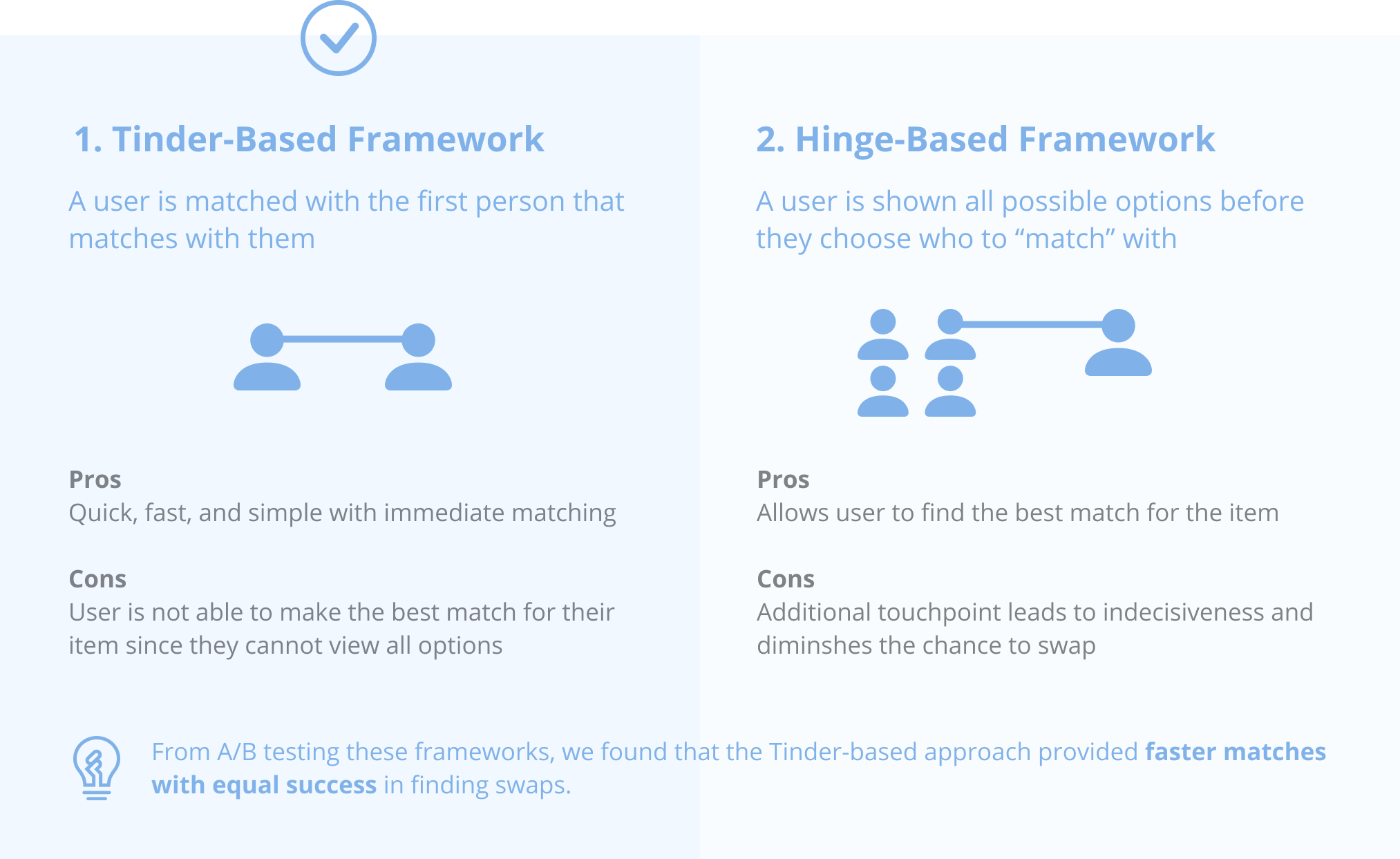
Deciding Between Two Frameworks
Should we show users all their options to swap with before matching, or just match them with the first person who also wants to swap with them? During the event, we created “matches” between users’ clothes, which led to the question of 2 different frameworks we could use.
Digital Prototype Opportunity
While the offline clothes swapping event was successful, we wanted to design a solution that was more accessible and scalable to reach a wider user population, so we began to outline the core functionalities for a digital clothes swapping app.
We wanted to design an app that would provide a seamless, clothes swapping experience on college campuses, inspired by dating apps by creating “matches” between users’ idle clothes. We immediately started iterating through wireframes on paper to see if our design solution would be intuitive for our users.
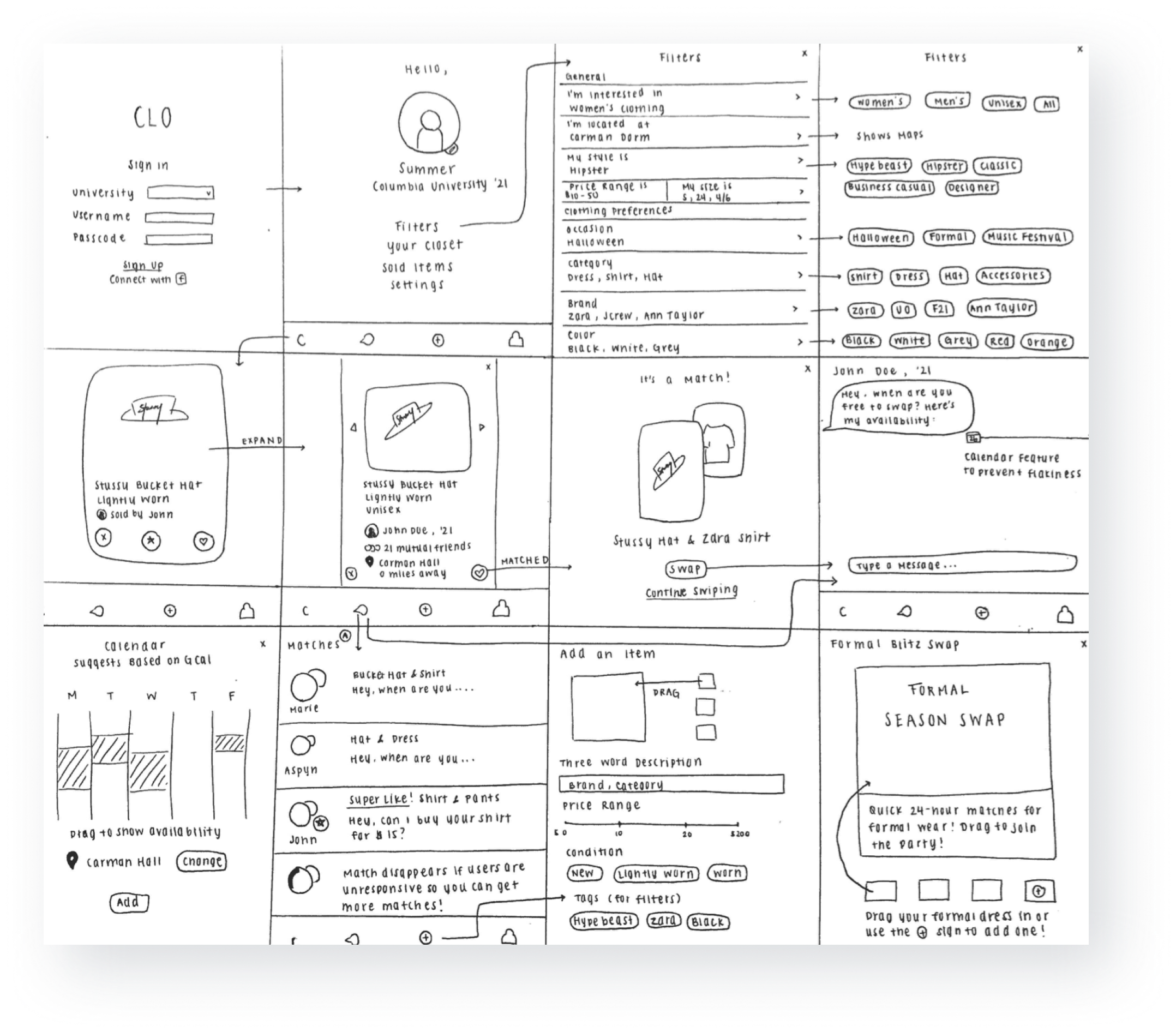
Usability Testing Our Sketches
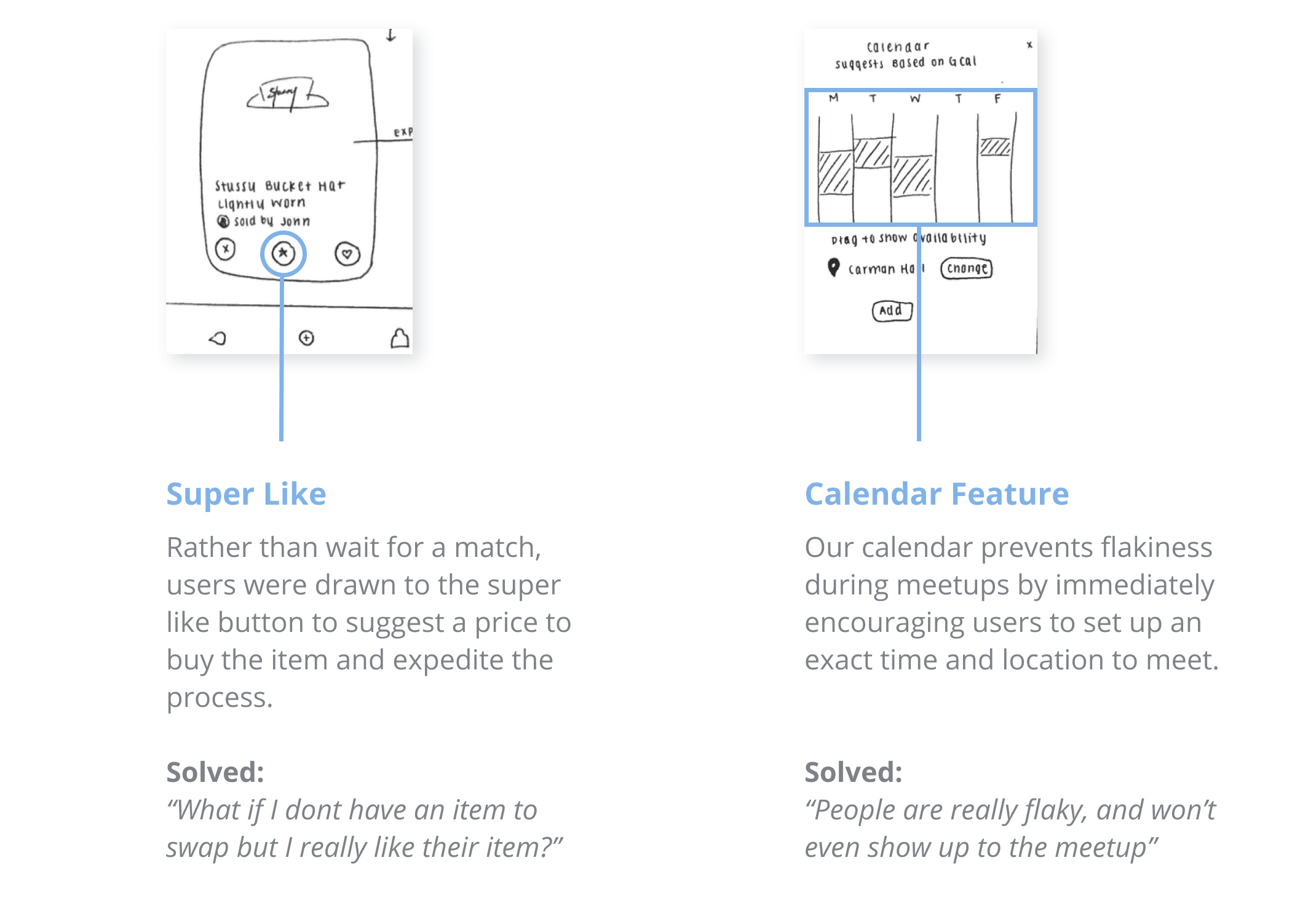
We conducted contextual think-aloud testing with 5 different users on our paper prototypes to gain a high level understanding of what ideas and interfaces the users found intuitive. We found that 5/5 users found the overall idea intuitive. Our users were especially drawn to the (1) calendar feature and (2) super like function. With lots of positive feedback, we decided to scale up to more high-fidelity prototypes on our next iteration to present our users a more realistic interface.
_
P R O D U C T W A L K T H R O U G H
Final Designs
CLO was built to use the untapped, opportunity space of idle clothes to create a circular economy around fashion on college campuses by using a matching procedure inspired by dating apps. We've used Figma to demonstrate the interactive flow of the key features of our application.
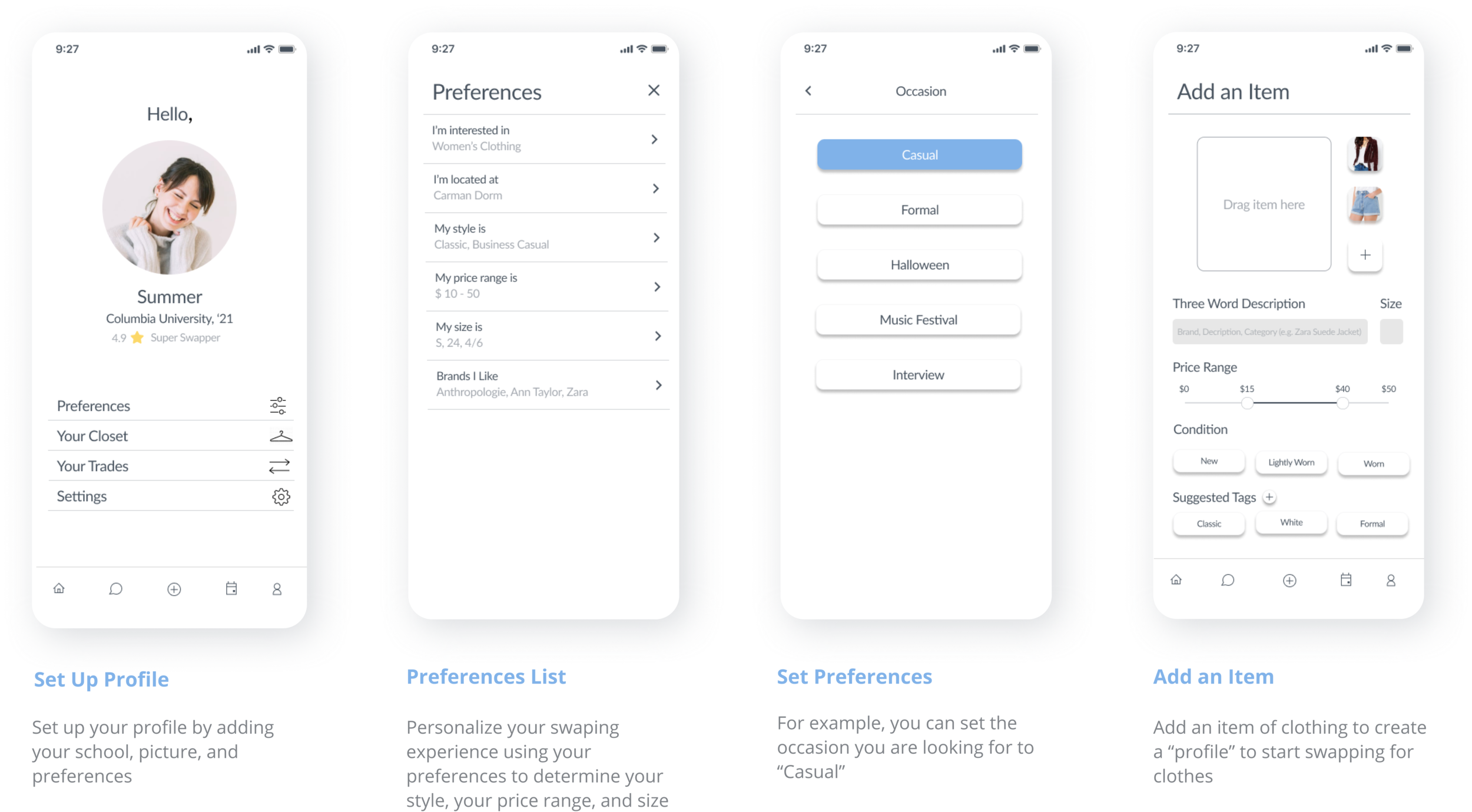
Set Up
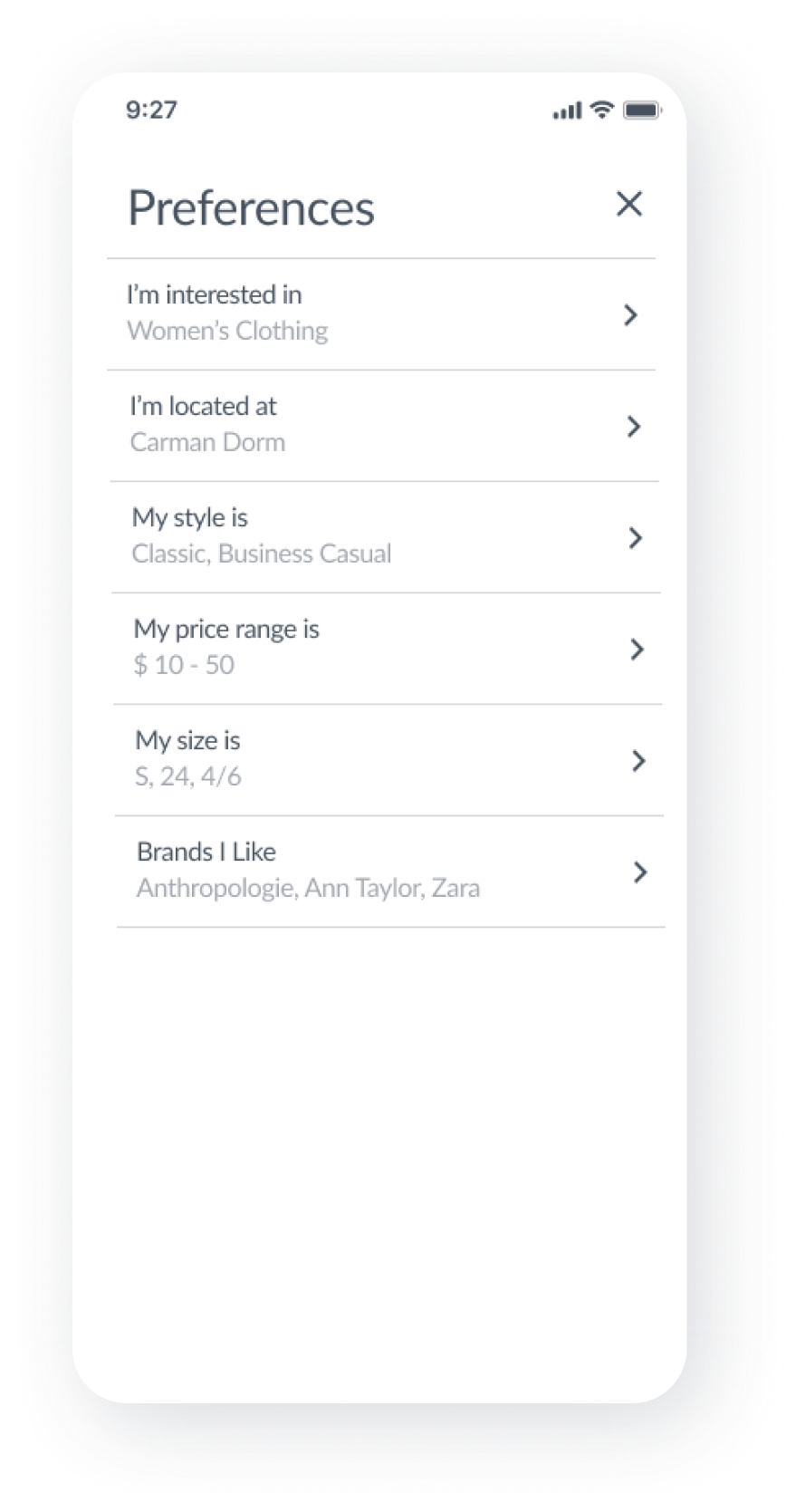
Set up your preferences to personalize what you are shown, and add an item to start swapping.
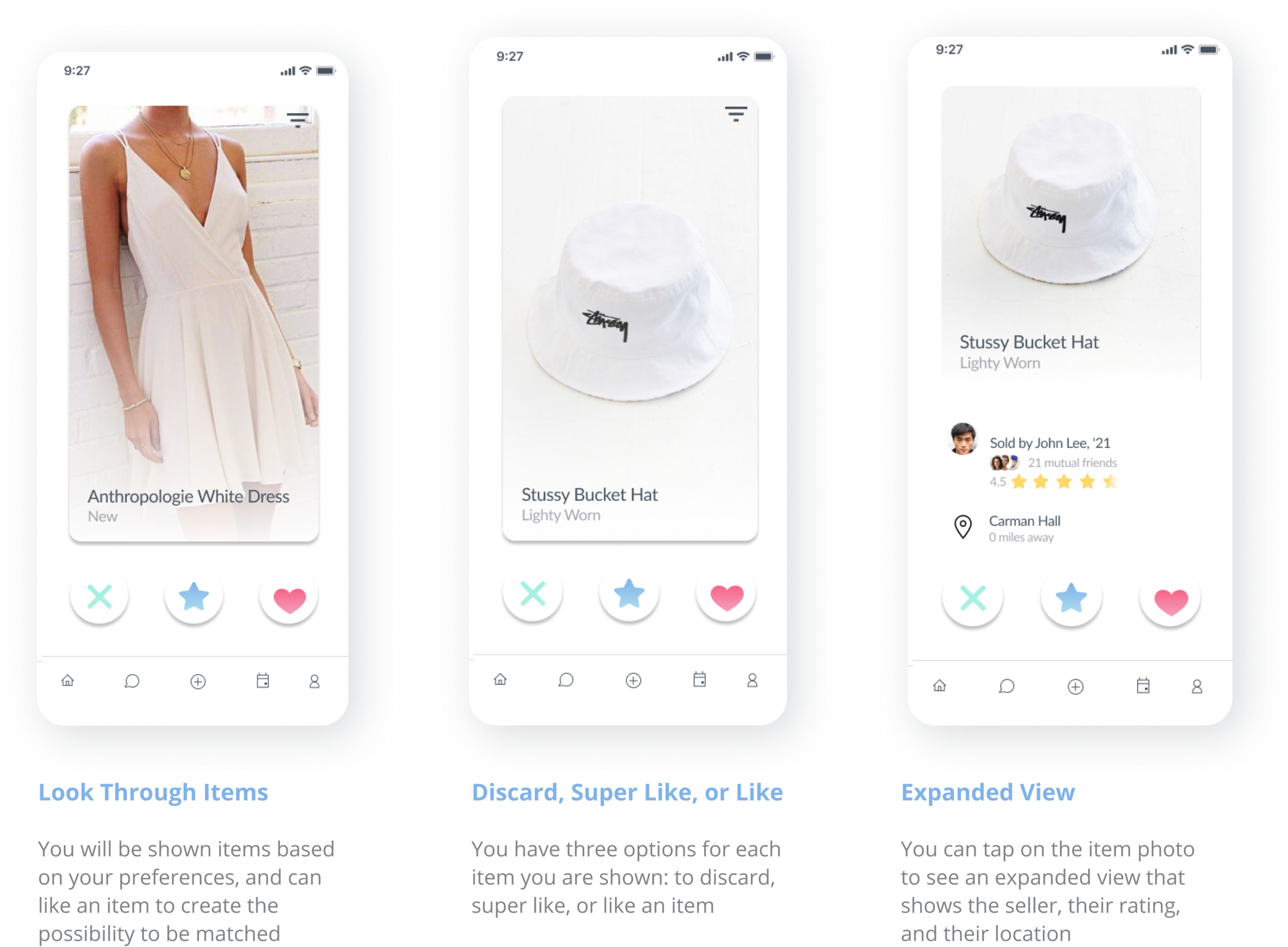
Start Swapping
Swipe through clothing “profiles” to discard, super like, or like an item. If a user mutually likes an item from your closet, you will be matched with them to swap clothes.
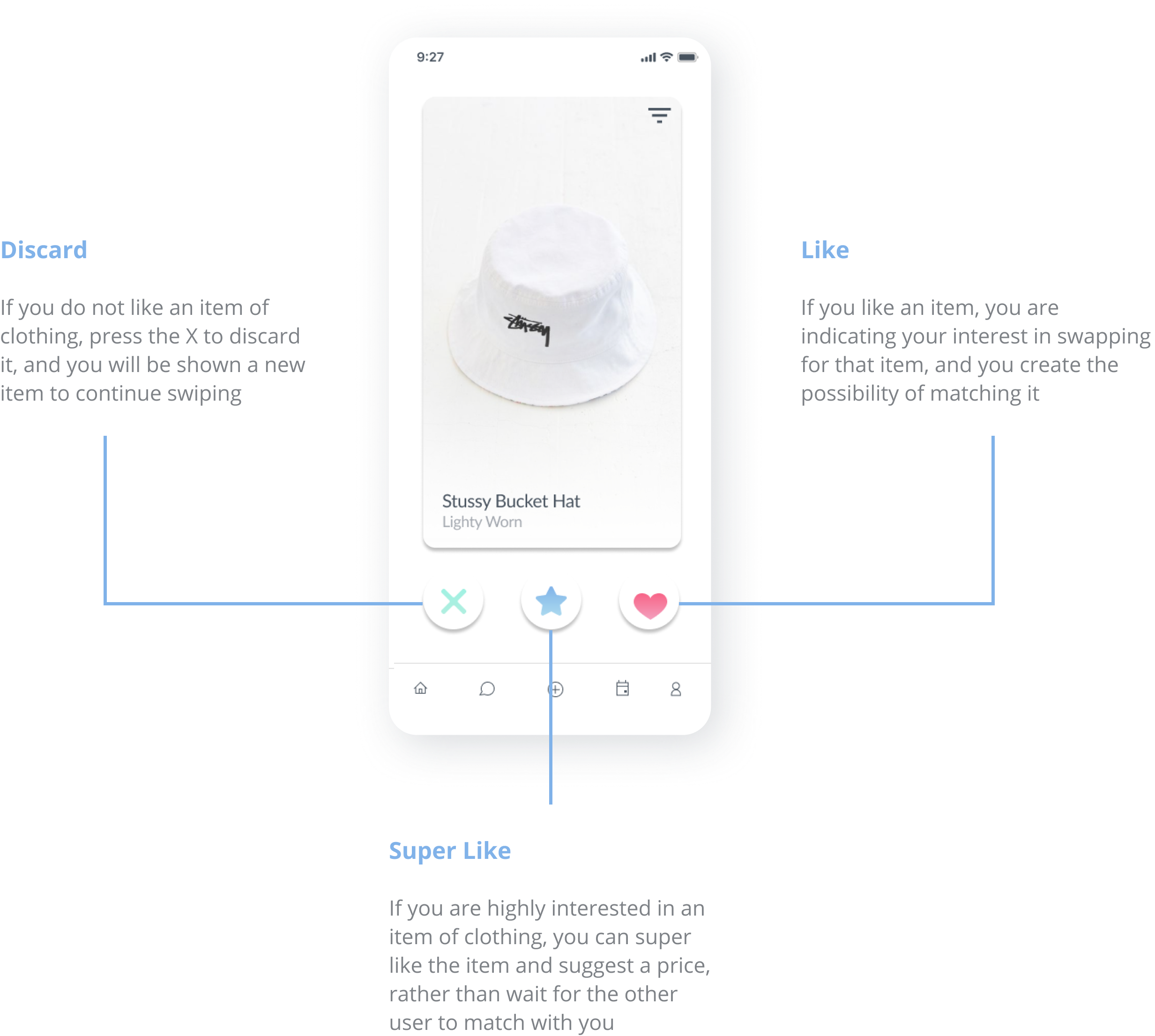
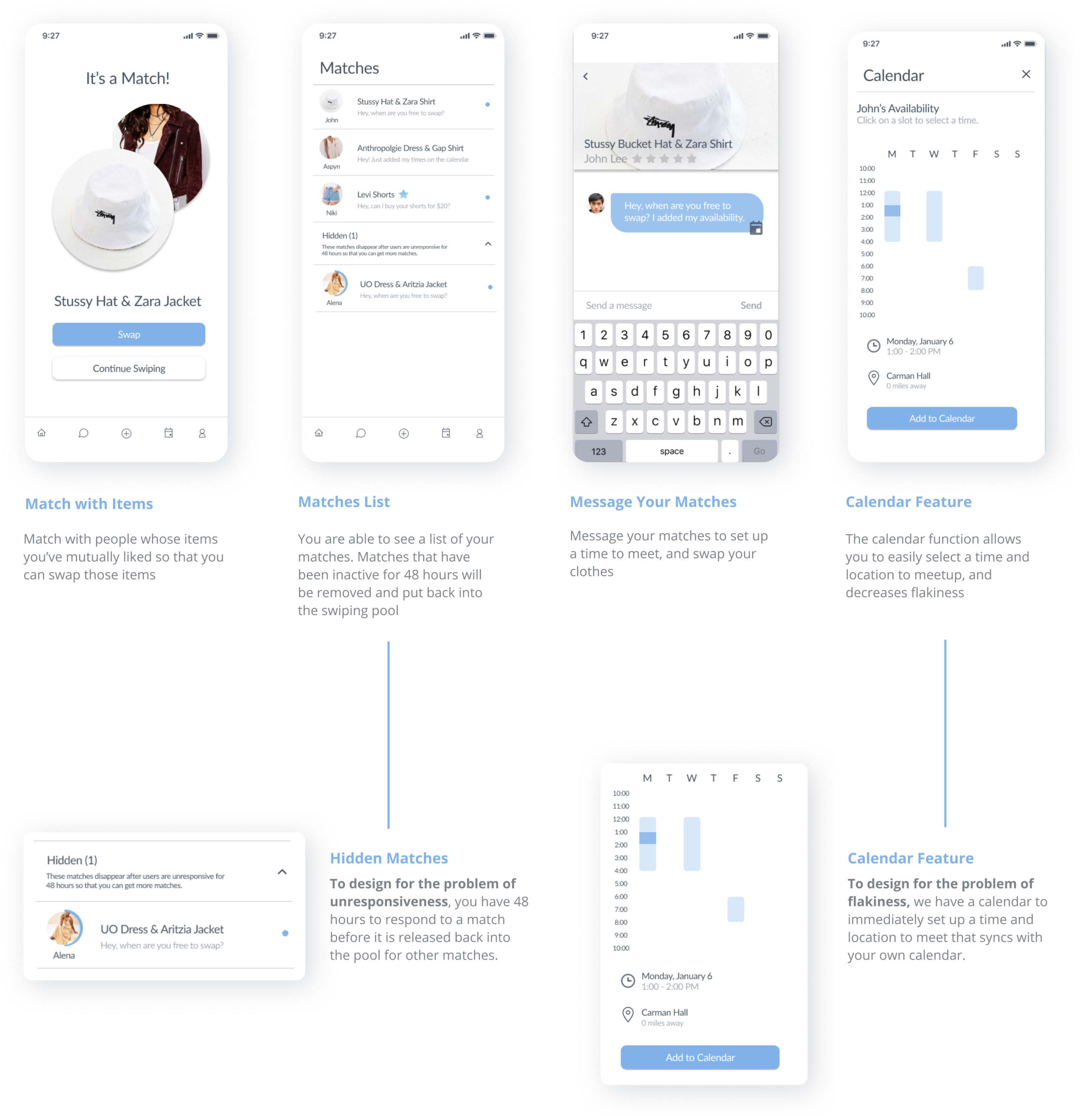
Create Matches
You will be matched with users whose items you've mutually liked, and can message them to set up a time to swap those items.
E V A L U A T I N G O U R D E S I G N S
Usability Testing High-Fidelity Prototypes
All our participants gave positive feedback on the overall concept, the intuitive design, and visual aesthetics of CLO, demonstrating the success of our user-driven design process.
Our 10 final users were a mix of both expert users who had critiqued our app, and users who had never been exposed to it before. There were some critiques about adding more or less social media involvement, and the specific preferences/filters that were chosen. Overall, however, we received lots of positive feedback from all our users, and found that many wished they had thought of such a simple, intuitive solution. One user even commented “of course!” after we explained our design solution to her. We ultimately saw the success of a user-driven design process in our final round of usability testing.
R E F L E C T I O N
Lessons Learned
Design is about the process, rather than coming up with the quickest solution. This was definitely the biggest lesson I learned during this process. Rather than rushing to a digital solution, my mentors taught me to continuously go back to my users and sit with a problem.
Find a problem you are passionate about. Since I was so passionate about the untapped opportunity space of idle clothes, I found myself taking initiative and spearheading the user-design process, which was an incredibly rewarding experience.
Seek to understand your users. I learned to not make assumptions in order to receive real feedback from your users, and to always validate any hypotheses you may have using different types of testing.
Listen. Listen as much as you talk. Listen to understand, rather than confirm. Listen to seek to understand your users’ experiences, pain points, and perspectives. And listen to be grateful for negative or conflicting feedback for the opportunity to dive deeper into a complex subject.
Thanks for reading this case study! ✨