
OVERVIEW
Calvin Klein motion design system
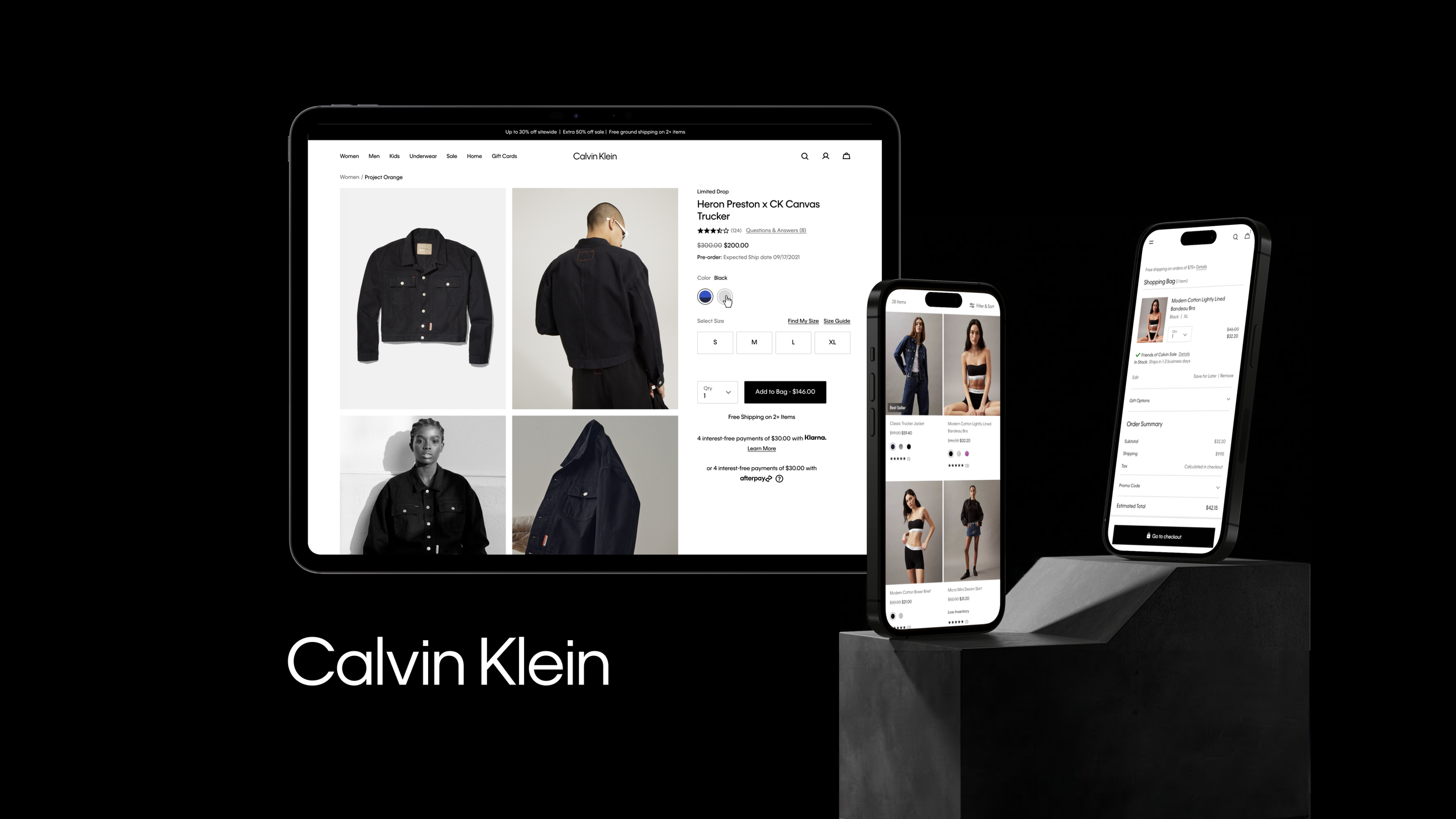
As an Experience Designer consultant for Calvin Klein and Tommy Hilfiger, our team created a design system for their Global Digital Commerce program to standardize their commerce platform across brands and geographies. I proposed and led a motion design system initiative, creating a scalable and consistent approach to custom animations across brands.
TEAM
Sharon Jia, Jenn Nguyen
TIMELINE
6 months
MY ROLE
Motion Design, Prototyping, Design Systems
PROBLEM SPACE
A lack of structure around motion
While there are many design systems out there, very few have addressed creating a system that maintains consistency and scalability in motion. At Calvin Klein, creating a custom animation for every motion was time-consuming, inconsistent, hard to scale, and requires a lot of back and forth between design and development. Every animation requires a prototype, which usually does not provide enough guidance for the developer to implement exactly.
THE SOLUTION
We created a motion design system to provide a more systematized approach to motion, ultimately providing greater consistency to moving components.
We’ve created a motion design system using tokens with the goal to have system-wide motion consistency, shorter animation development time, and faster decision-making when designing new animations. To start, let’s take a look at how a design system with tokens functions with static elements.
BACKGROUND
A design system with tokens
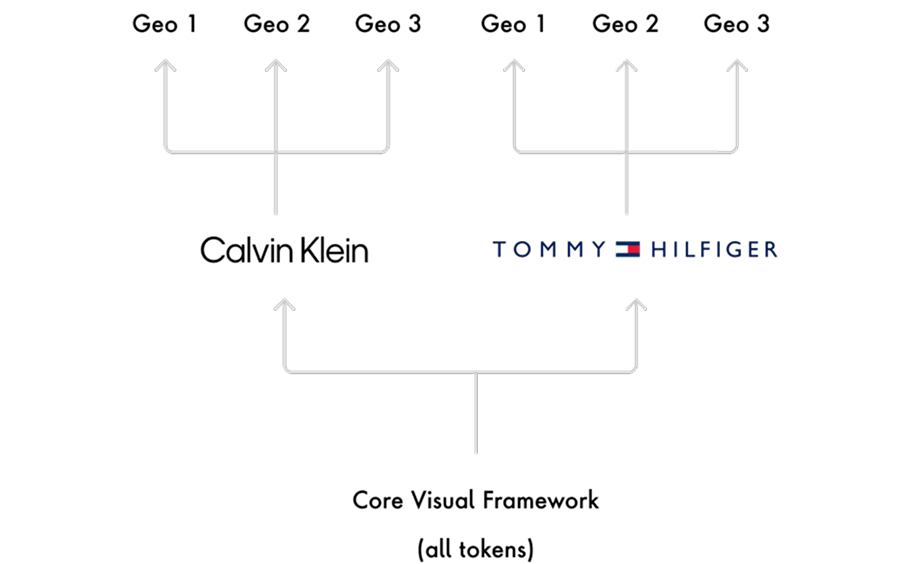
A design system is a set of guidelines that helps manage more scalable and consistent designs by creating a shared language and visual cohesion across different channels. In particular, we created a design system based off of tokens in order to bridge the gap between design and development. In the case of Calvin Klein and Tommy Hilfiger, our token system allows our team to use the same components and page designs, where switching between brands is as simple as switching the values of the tokens.
What are design tokens?
Design tokens are the atoms of our design language and the source of truth. We can tokenize anything that can be reduced to a single value (ie. color, font size, spacing, motion, etc.) and reference them in our design systems. The main benefit for our system is that we gain design and development consistency and production efficiency. In the image below, we can reduce all visual properties of the button down to individual design tokens.
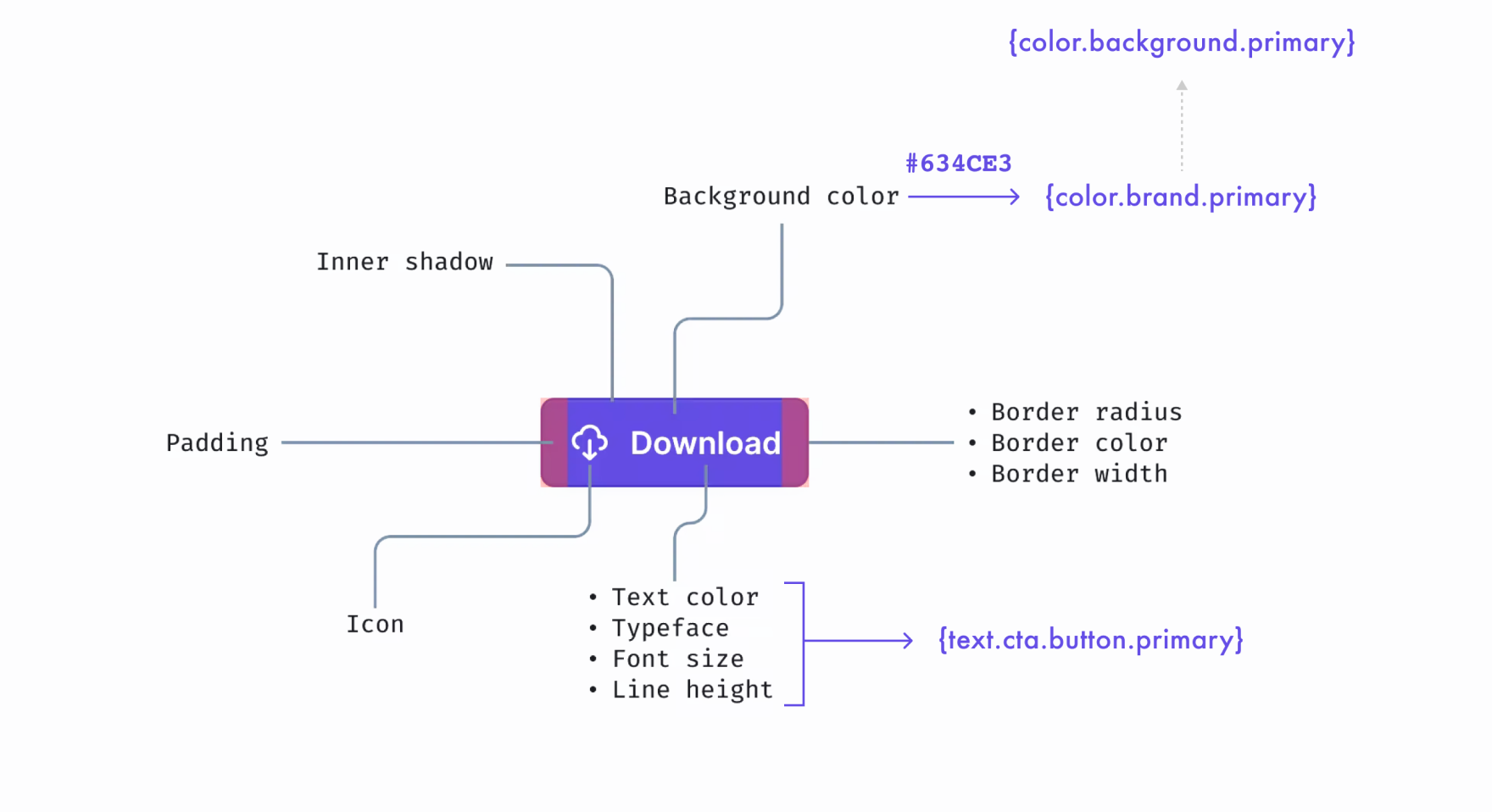
Nesting tokens
Imagine listing out all our design specs as raw values in a single column. The values are mostly numeric, which makes it difficult to identify any relationships/meaning between them. But if we were to instead make the list with names of our choosing, we could then imagine how the same list of values now is more meaningful. By adding this semantic dimension to our design specs, designers and developers can quickly gain a more shared understanding.
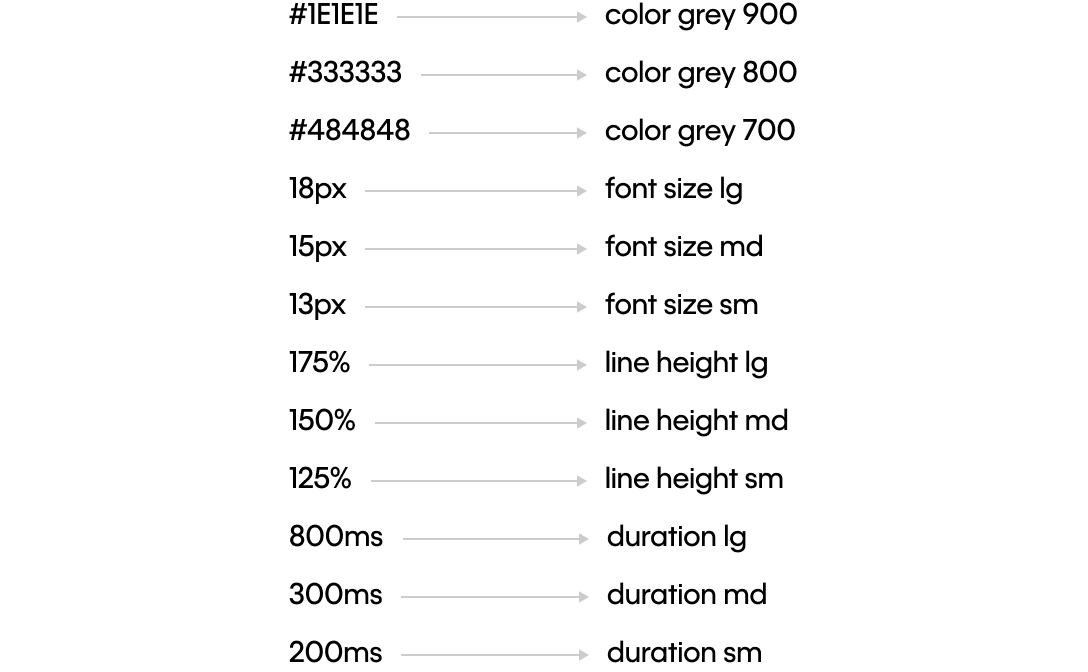
From these values, we can continue to build levels of tokens that can be nested and referenced by one another. For example, we can assign the color token Brand Primary = Black. Constructing our styles this way allows designers to structure their UI architecture the same as developers and create a naming convention aligned with the front-end codebase.
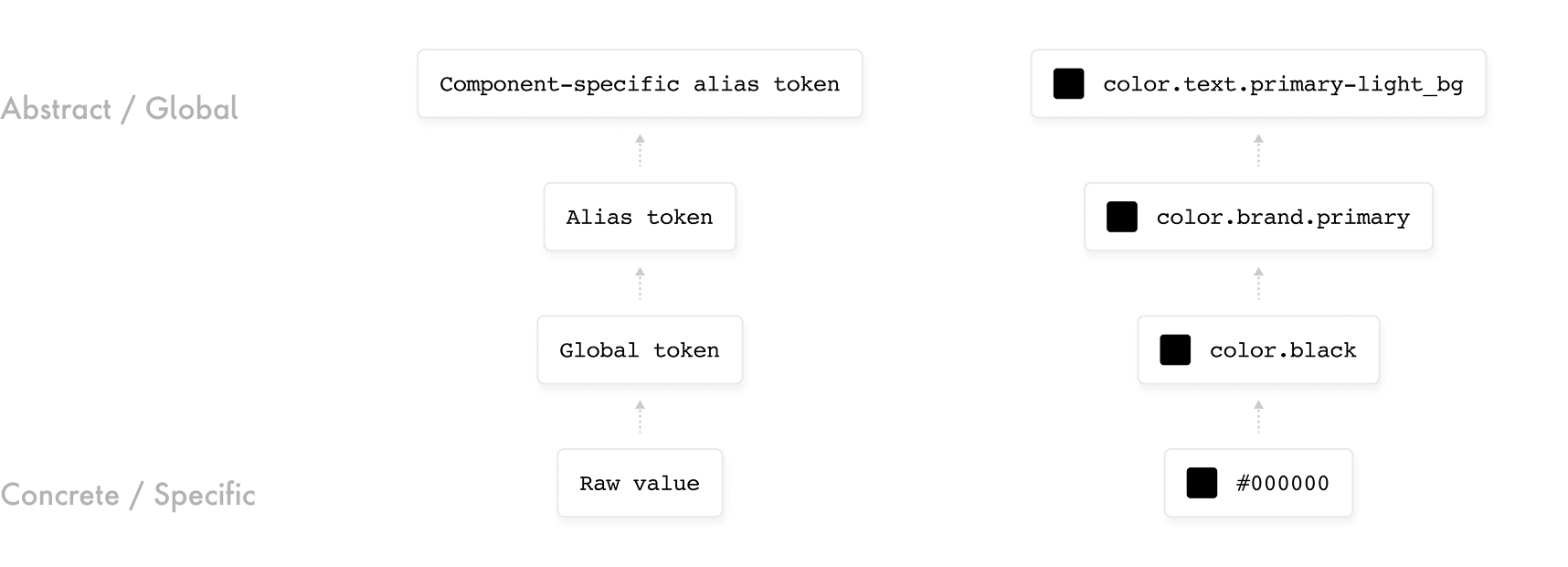
FINAL SOLUTION
Our motion design system
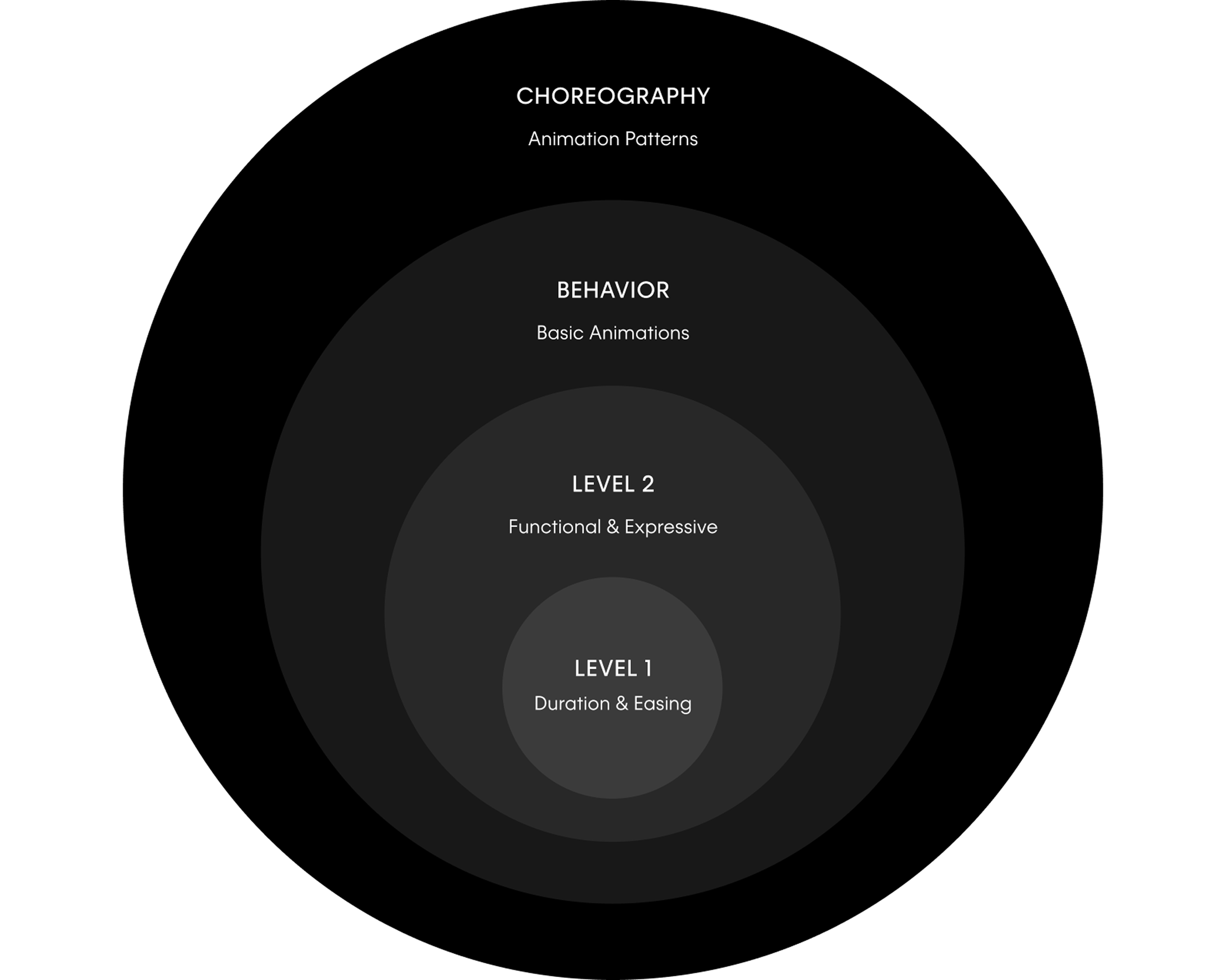
So how can these design tokens apply in the context of motion? Using the same design token framework for static elements such as color and typography, we’ve created a design system around motion. It is built from the foundation of two levels of motion tokens, which are then used to create a reusable library of basic animations and more complex animation patterns.
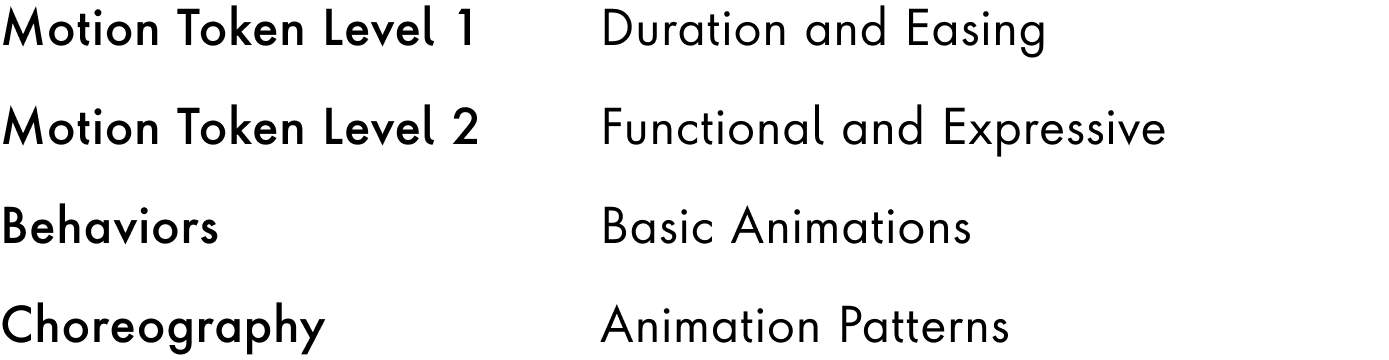
LEVEL 1
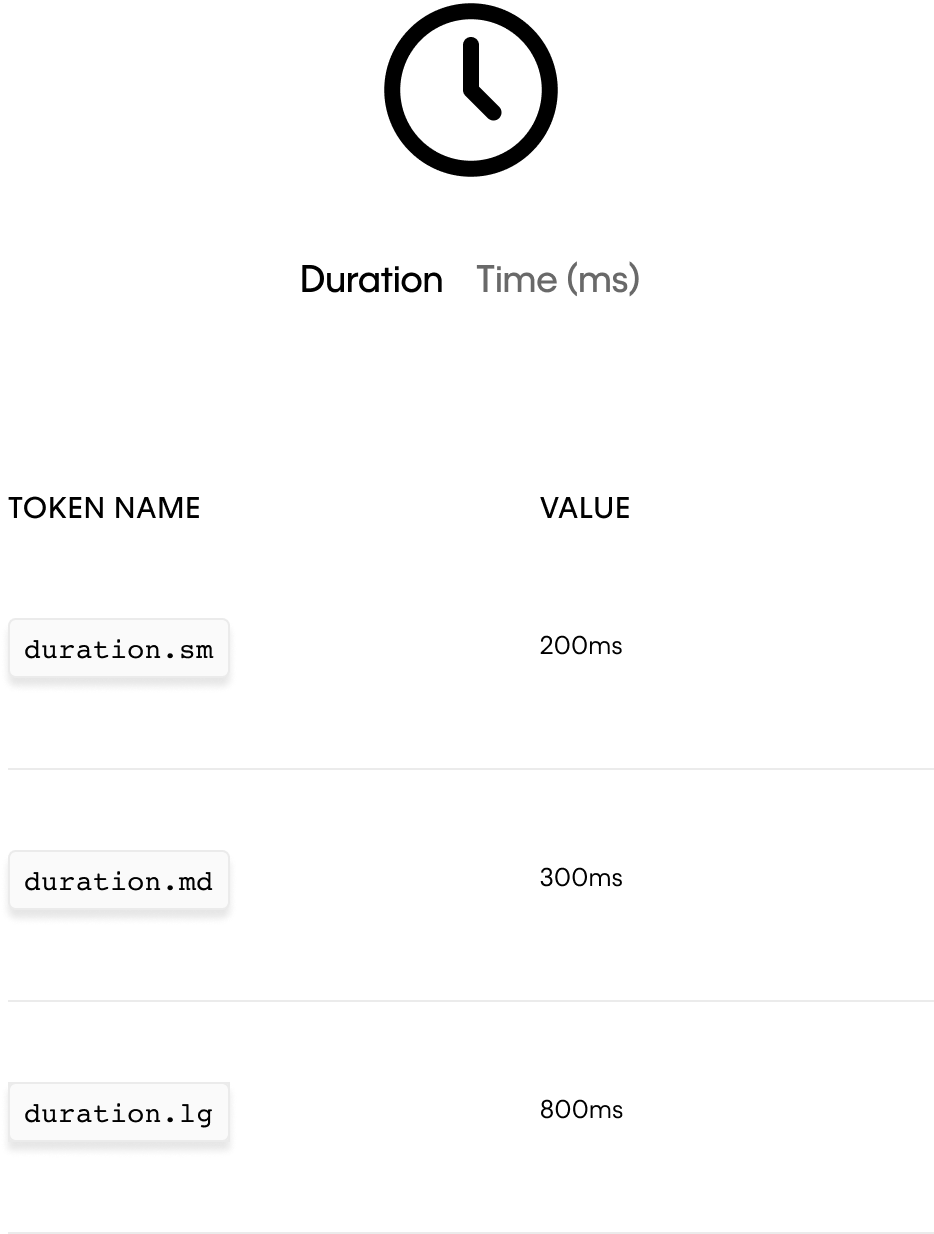
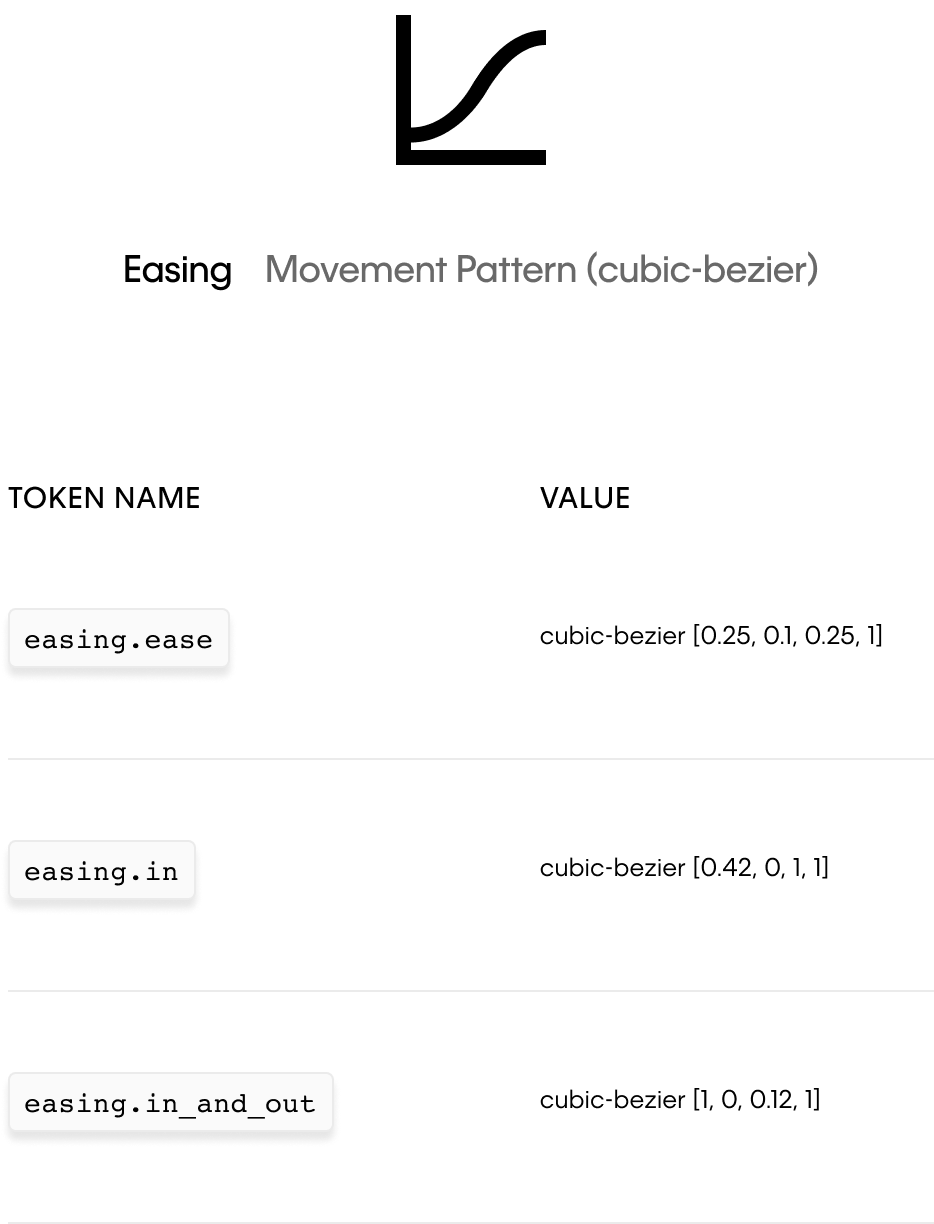
L1 tokens: duration and easing
Essentially, any motion can be described by a duration of time and a movement pattern. Thus, duration (measured in the raw value of time) and easing (movement measured in cubic-bezier values) are the foundational building blocks for our motion design system. These standard values create a consistent language for describing motion.
LEVEL 2
L2 tokens: functional and expressive
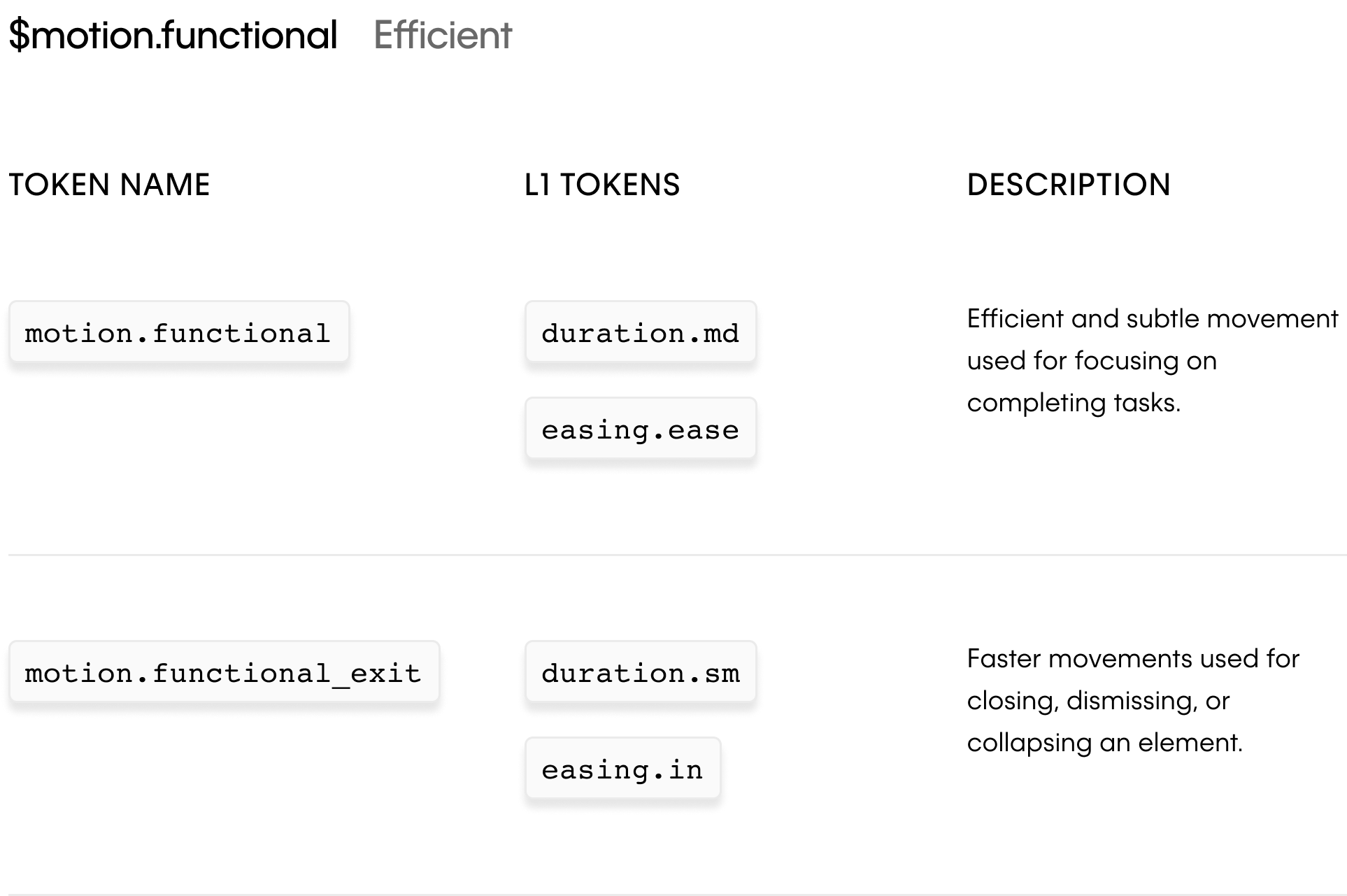
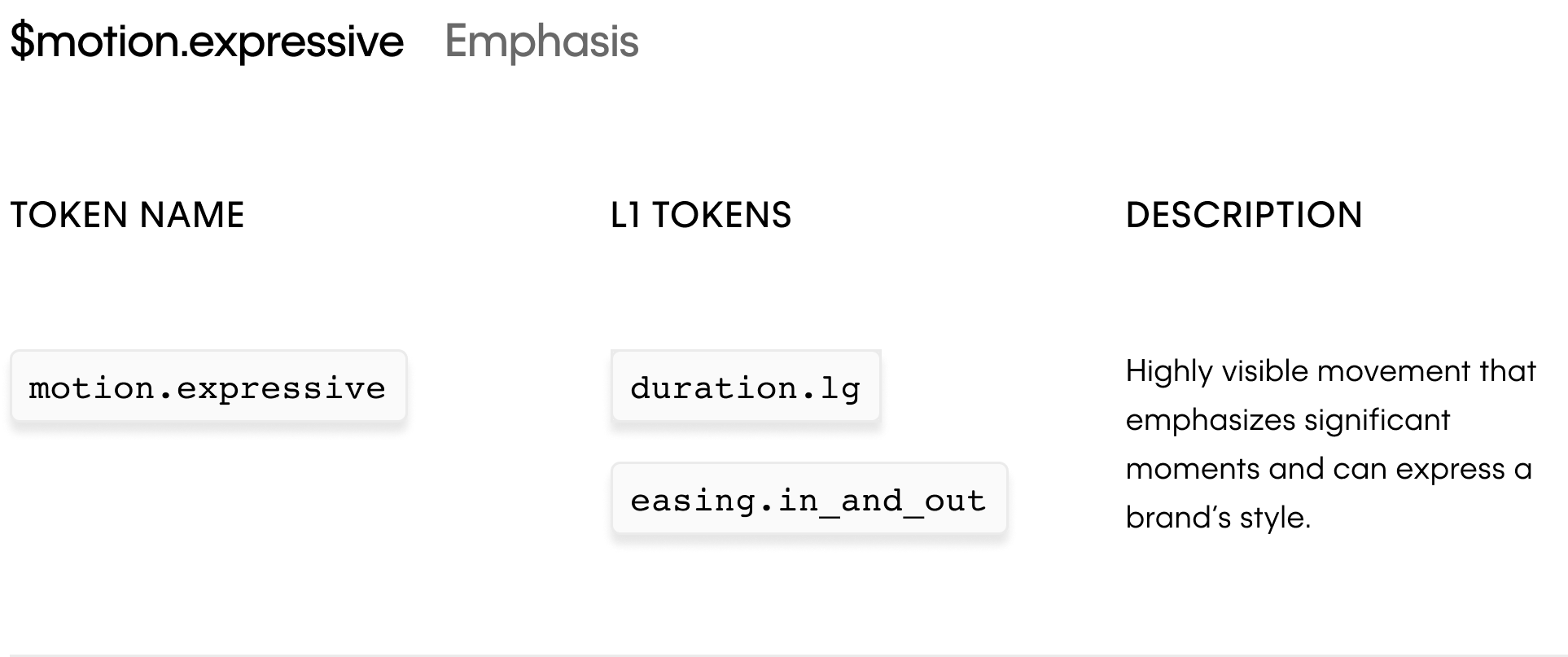
By combining the L1 tokens $duration and $easing, we can create L2 tokens $motion.functional and $motion.expressive that describe the two key types of movement used by Calvin Klein.
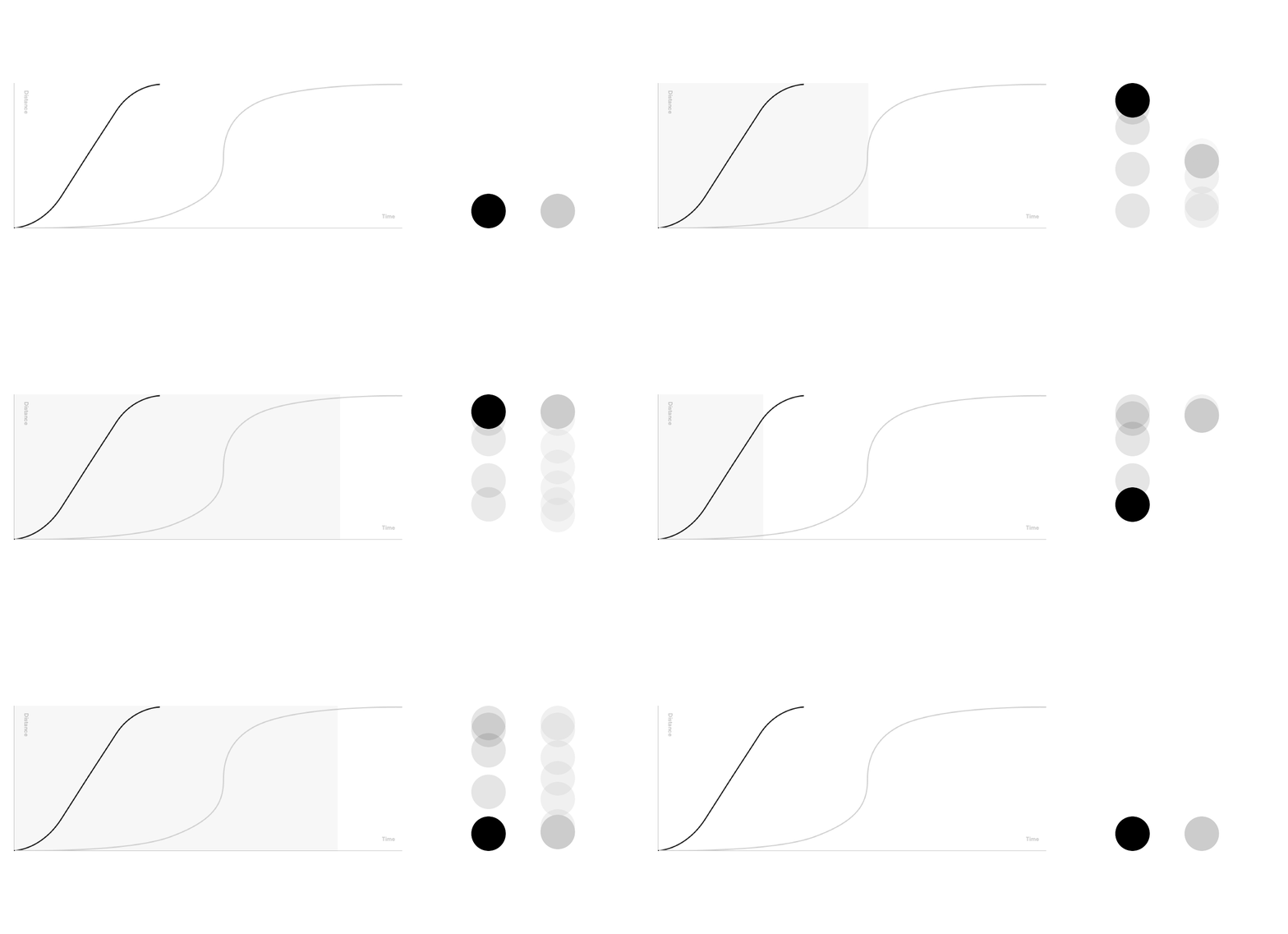
Functional motion shown on the left, and expressive motion shown on the right.
Functional motion
Functional motion creates a sense of efficiency and responsiveness that is focused on completing tasks such as opening an accordion or displaying a notification banner.
Expressive motion
Expressive motion is highly visible movement focused on placing emphasis on elements and highlighting a brand’s style such as opening a drawer.
LEVEL 3
Behaviors: basic animations
Behaviors are the simplest animations that transition from one CSS property value to another. They can then be combined with Level 2 tokens $motion.functional, $motion.functional-exit, and $motion.expressive to create reusable animation patterns such as fading, sliding, and scaling. All examples below use the $motion.functional token
Fade
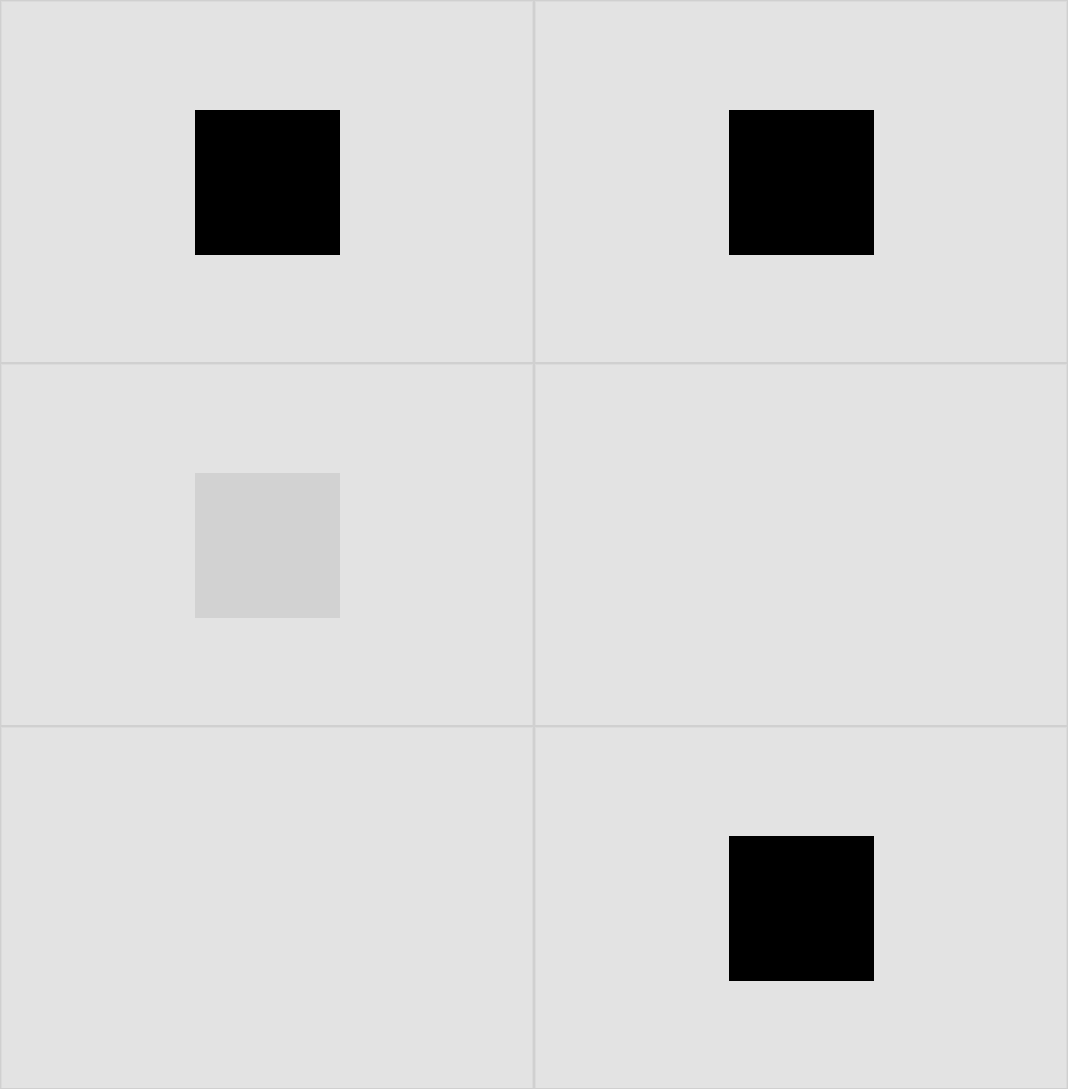
Fade In/Out
Element fades in or out with an opacity change. This is the simplest, most discrete, and most common way to reveal or hide elements.
CSS Property Change
Opacity(x%,y%)
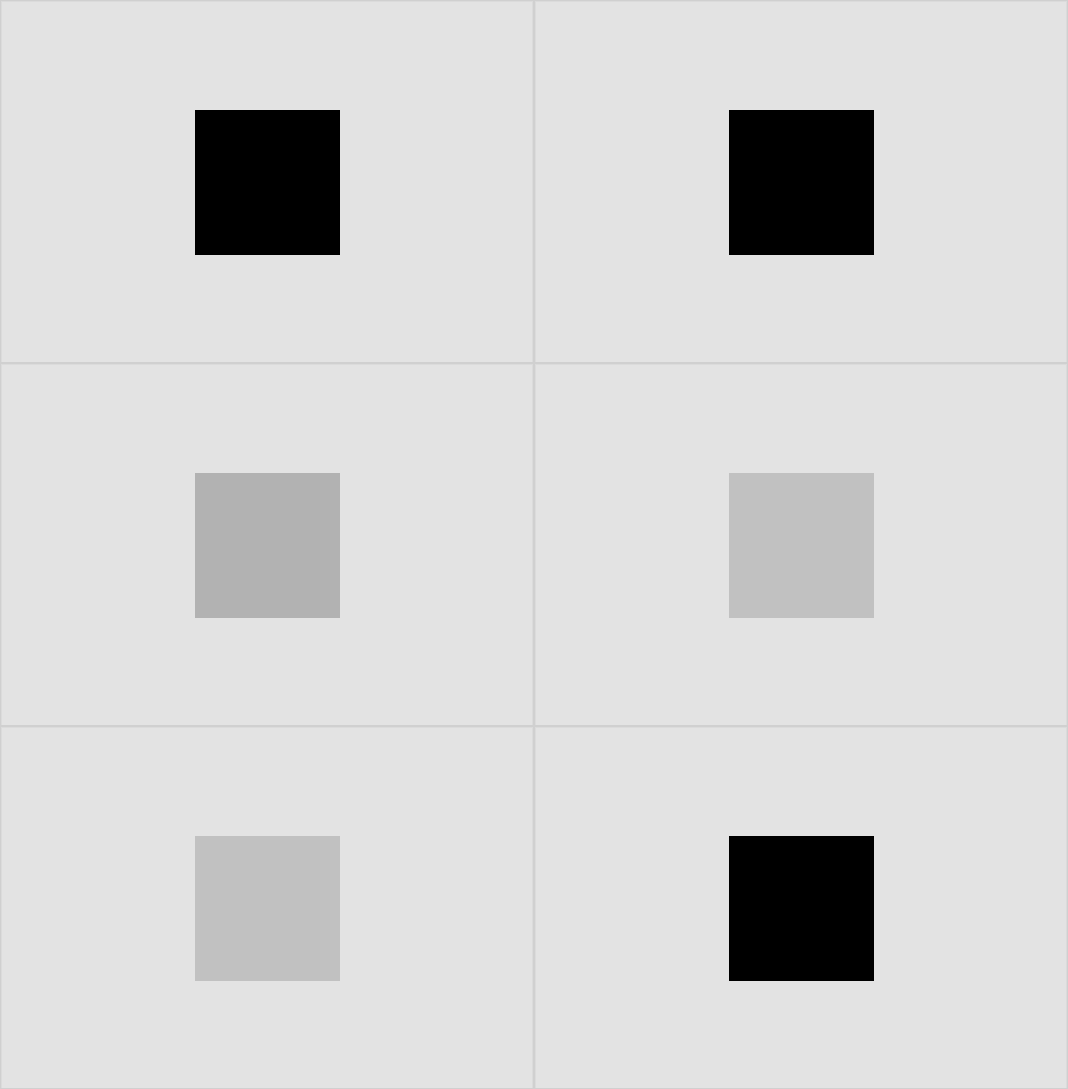
Cross-Fade
One element fades out as another element simultaneously fades in. This is typically used on hover transitions.
CSS Property Change
Opacity(x%,y%), Color(x,y)
Slide
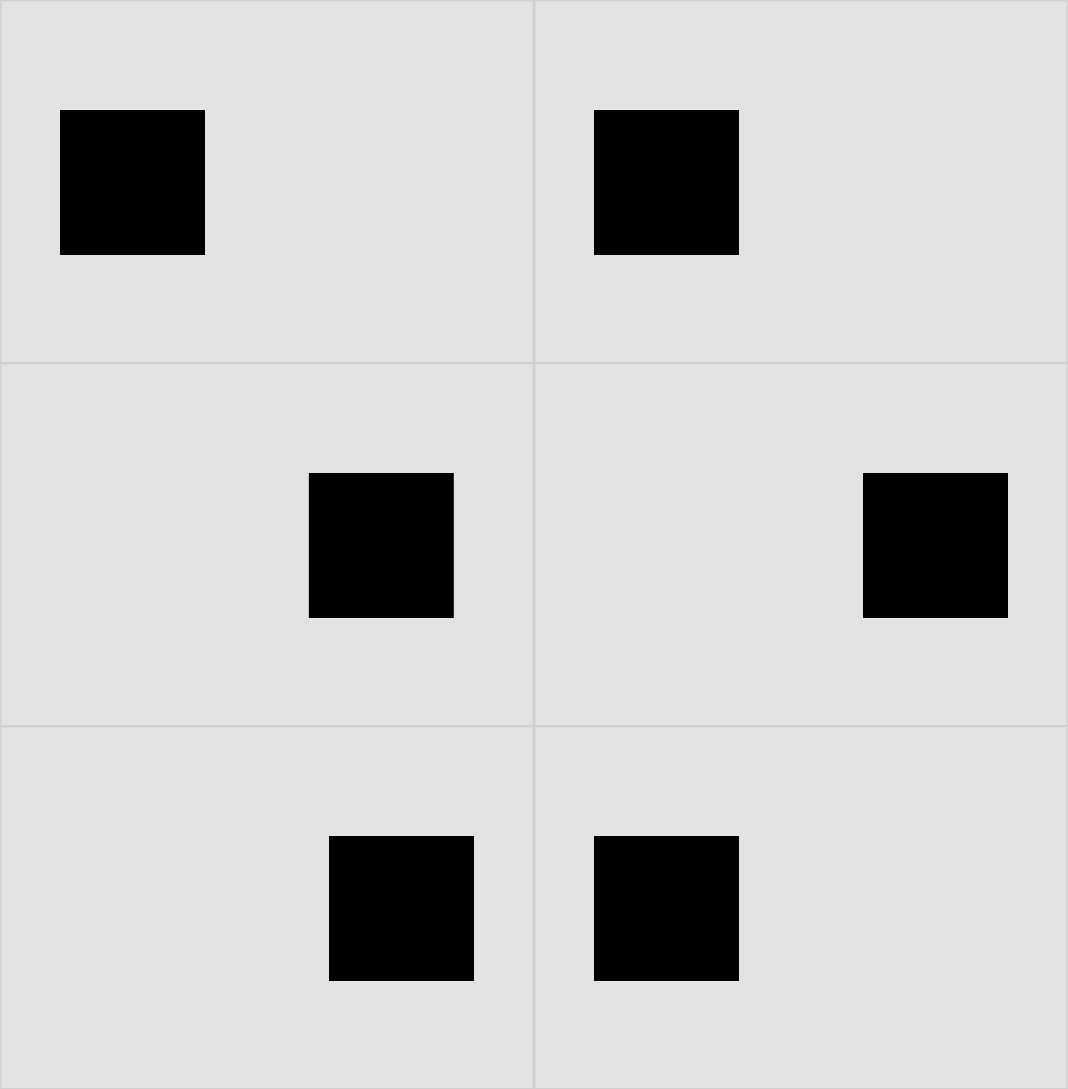
Slide Left/Right
Element slides to the left/right by moving along the x axis
CSS Property Change
Translate(x1,x2)
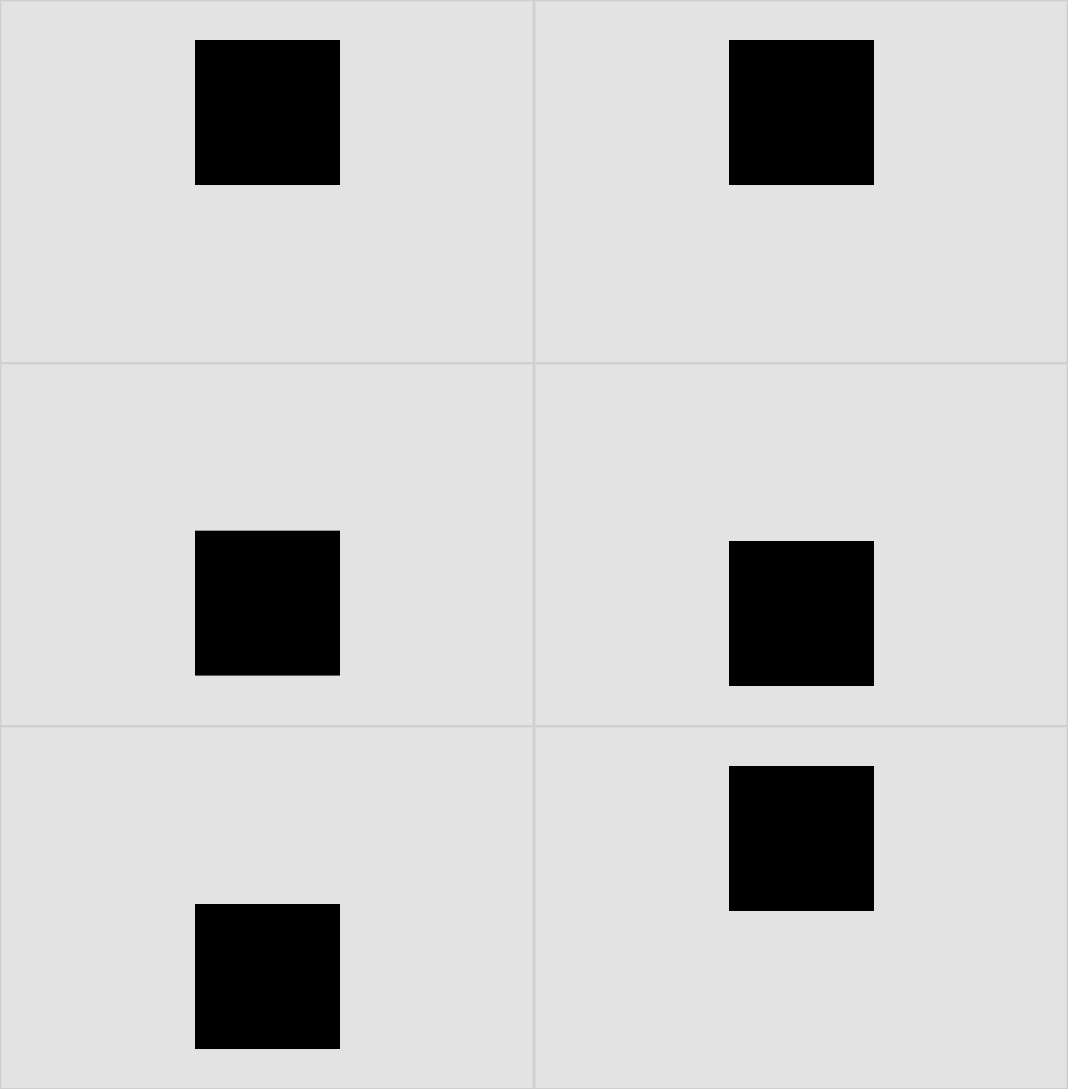
Slide Top/Bottom
Element slides to the top/bottom by moving along the y axis
CSS Property Change
Translate(y1,y2)
Scale
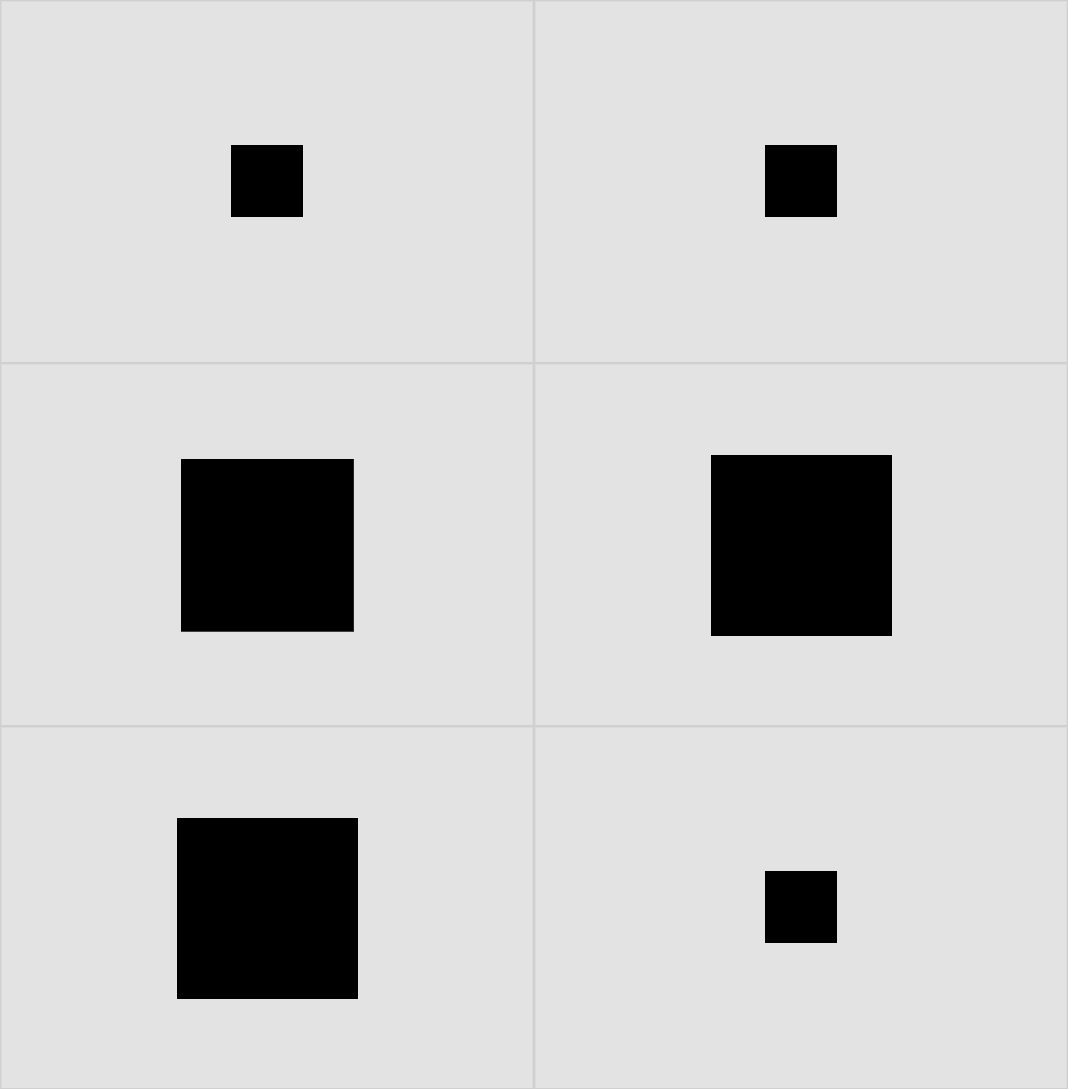
Scale Center
Element scales up/down proportionally towards the center. This can be used to draw attention to a state change.
CSS Property Change
Scale(x)
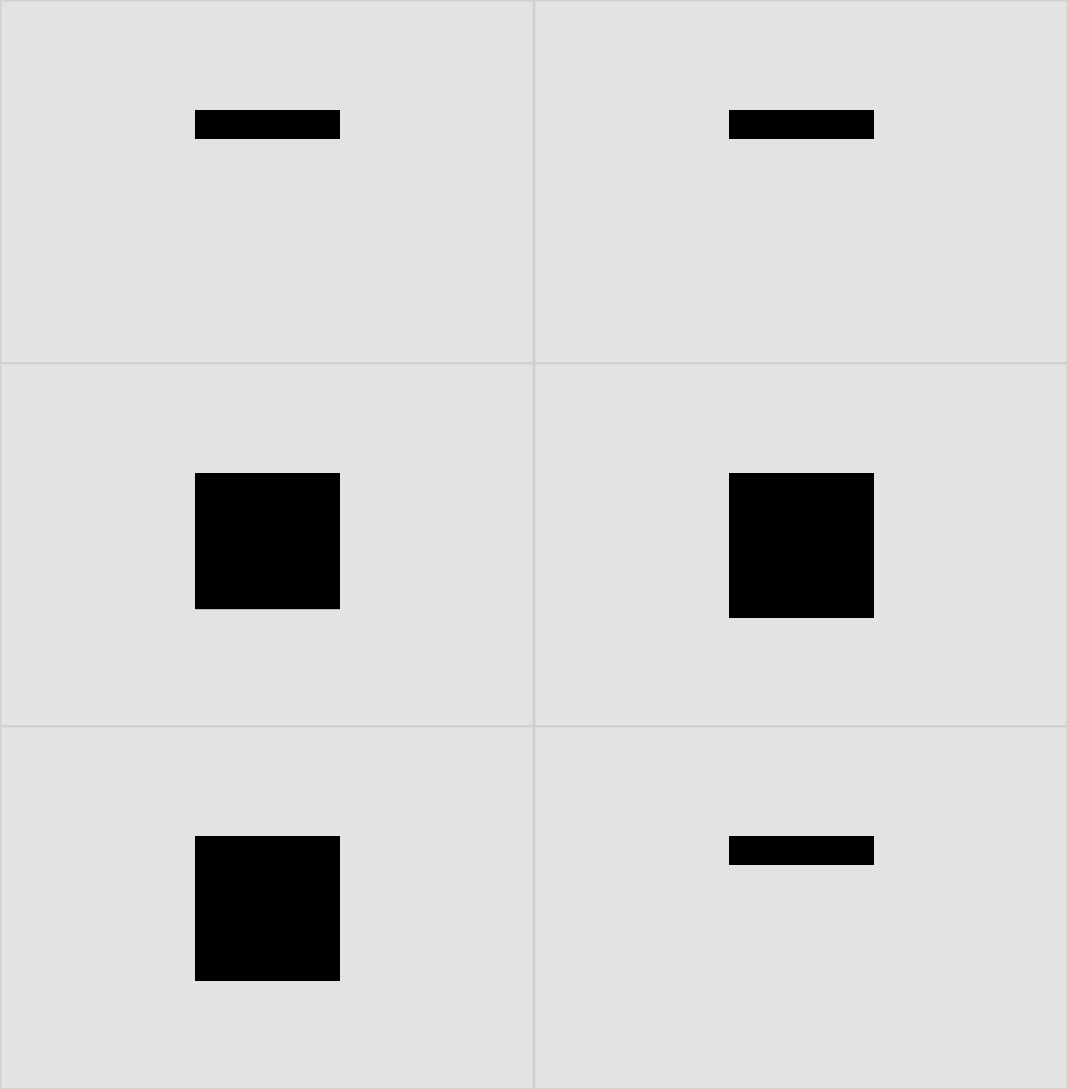
Scale Vertical
Element scales up/down vertically. This can be used for components that expand to show additional information such as accordions.
CSS Property Change
Scale(x)
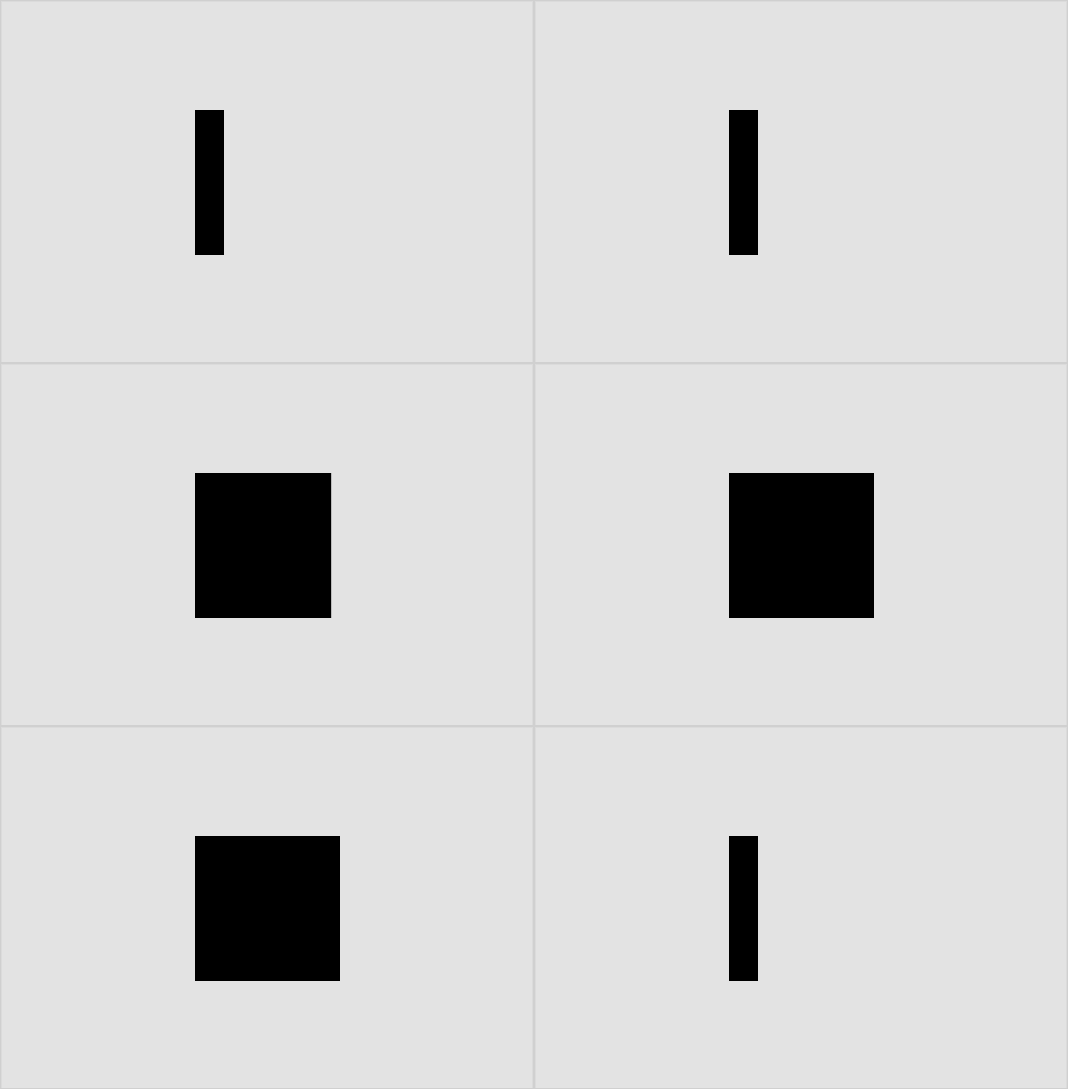
Scale Horizontal
Element scales up/down horizontal. This can be used to show progress, such as on a loading or progress bar.
CSS Property Change
Scale(x)
LEVEL 4
Choreography: animation patterns
Choreographies are motion sequences that use multiple elements that each have a combination of behaviors and Level 2 tokens. Creating these animation patterns allows developers to create a pattern once and reuse it for multiple cases. For example, the choreography for adding an element can be used for both the Add Payment and Add Address pages in a user’s account.
Add & Remove
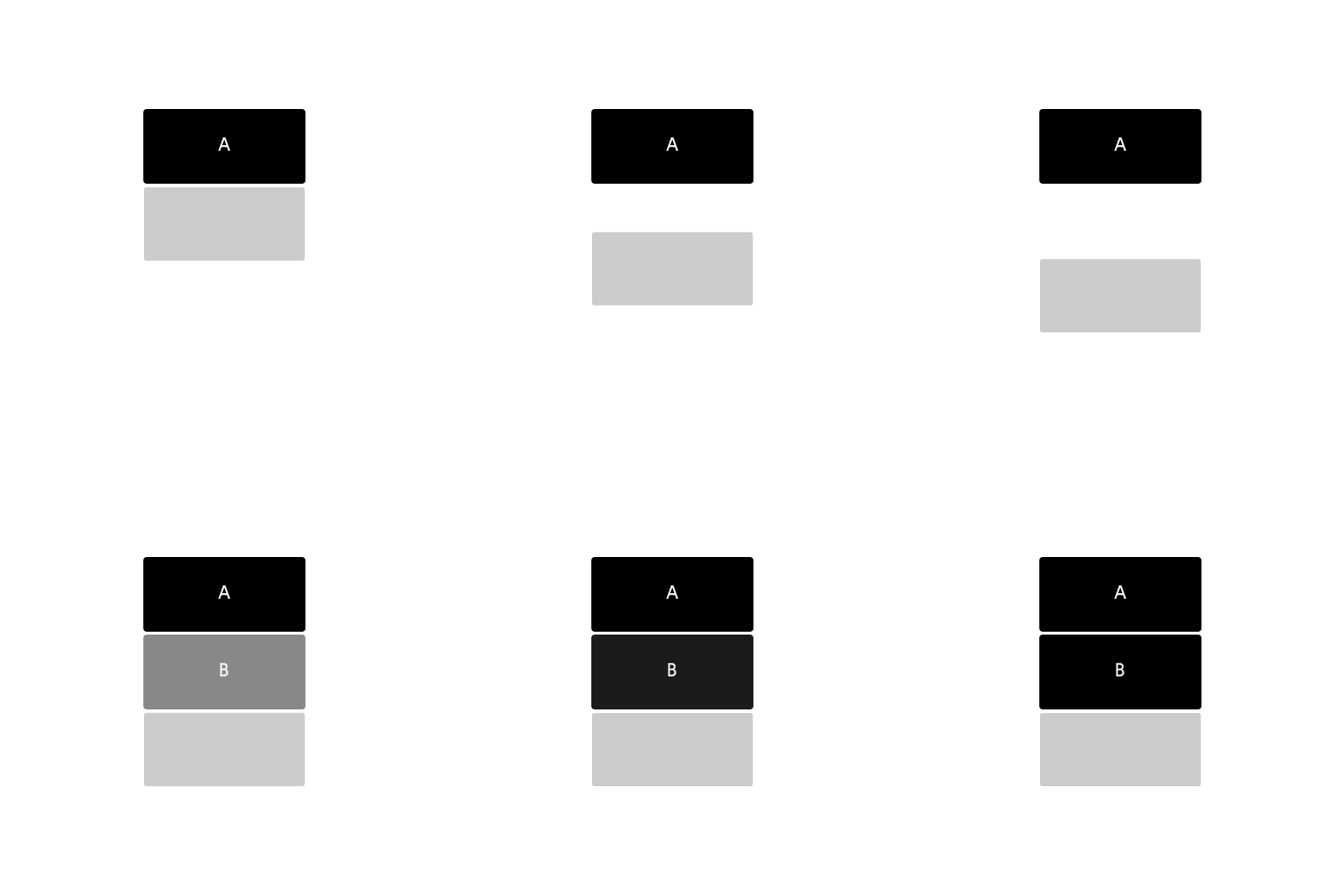
Add
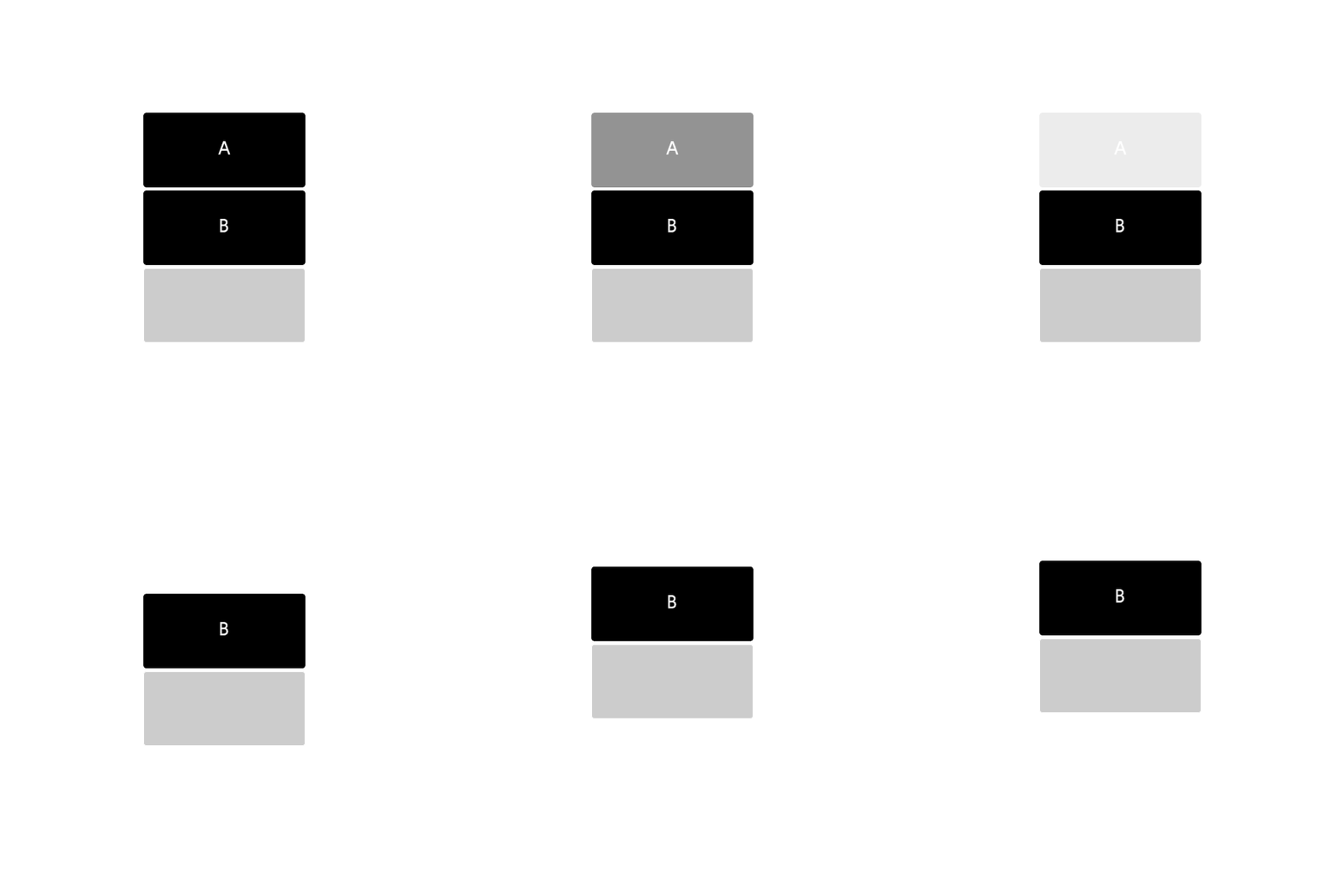
Remove
Expand & Collapse
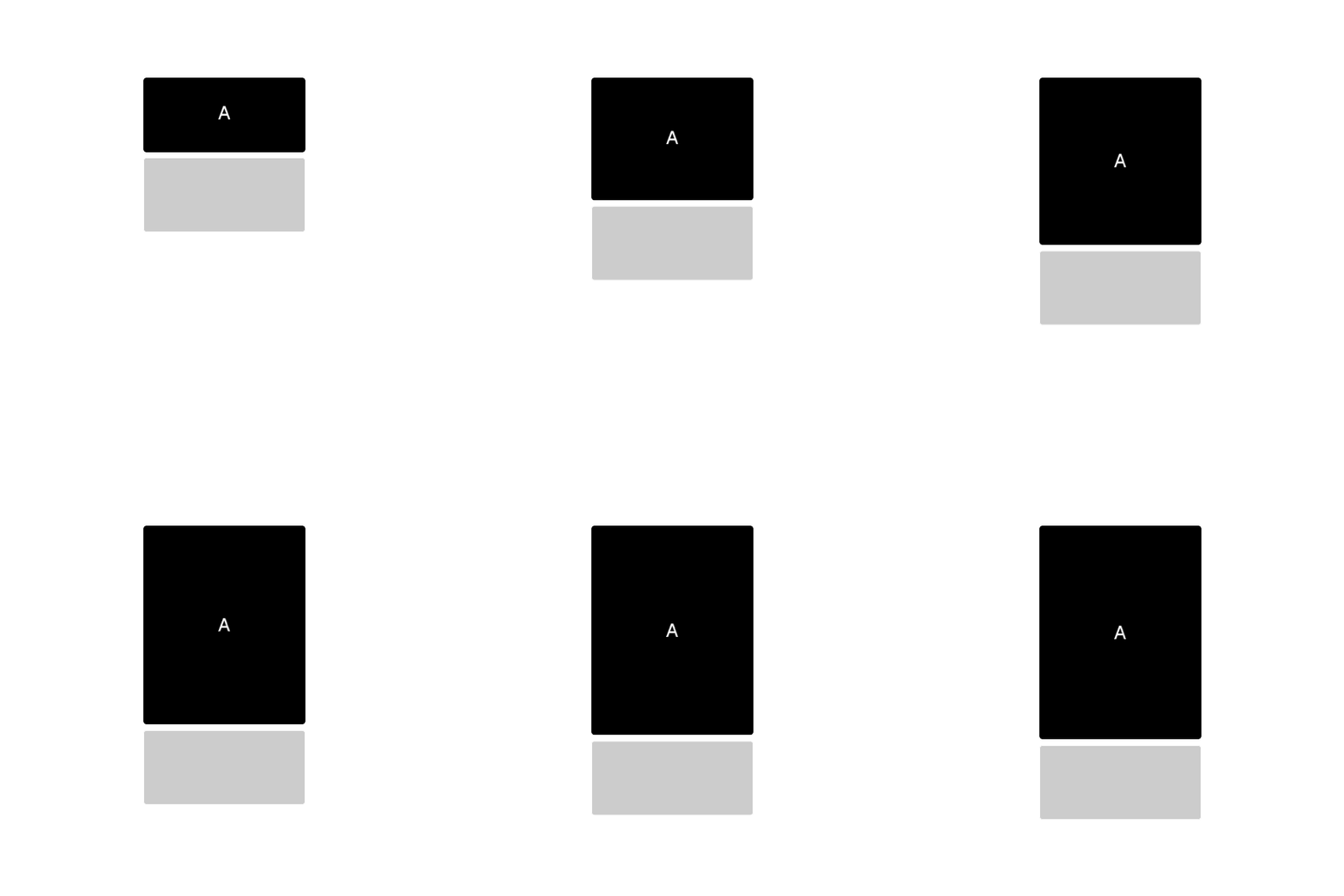
Expand
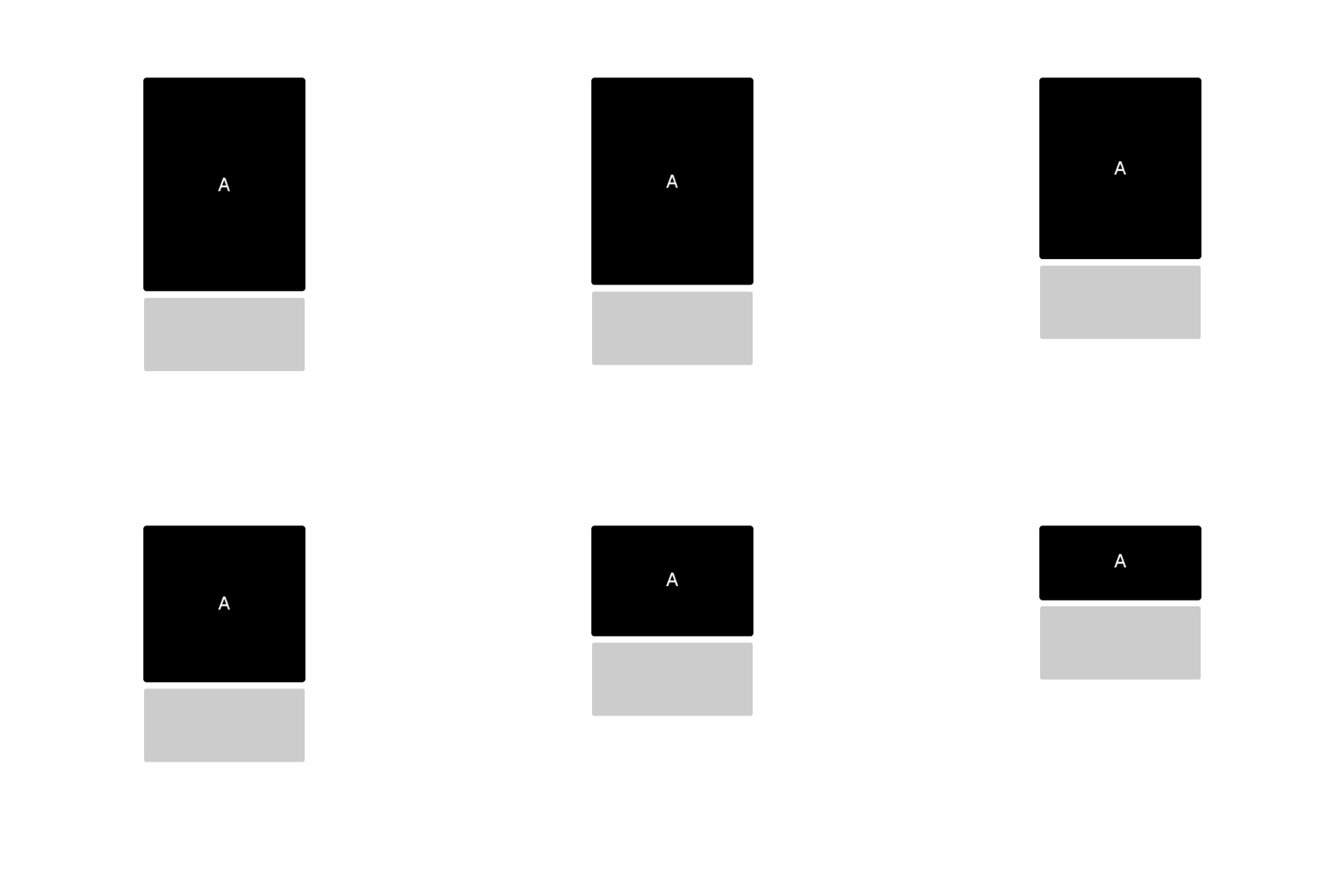
Collapse
Shuffle
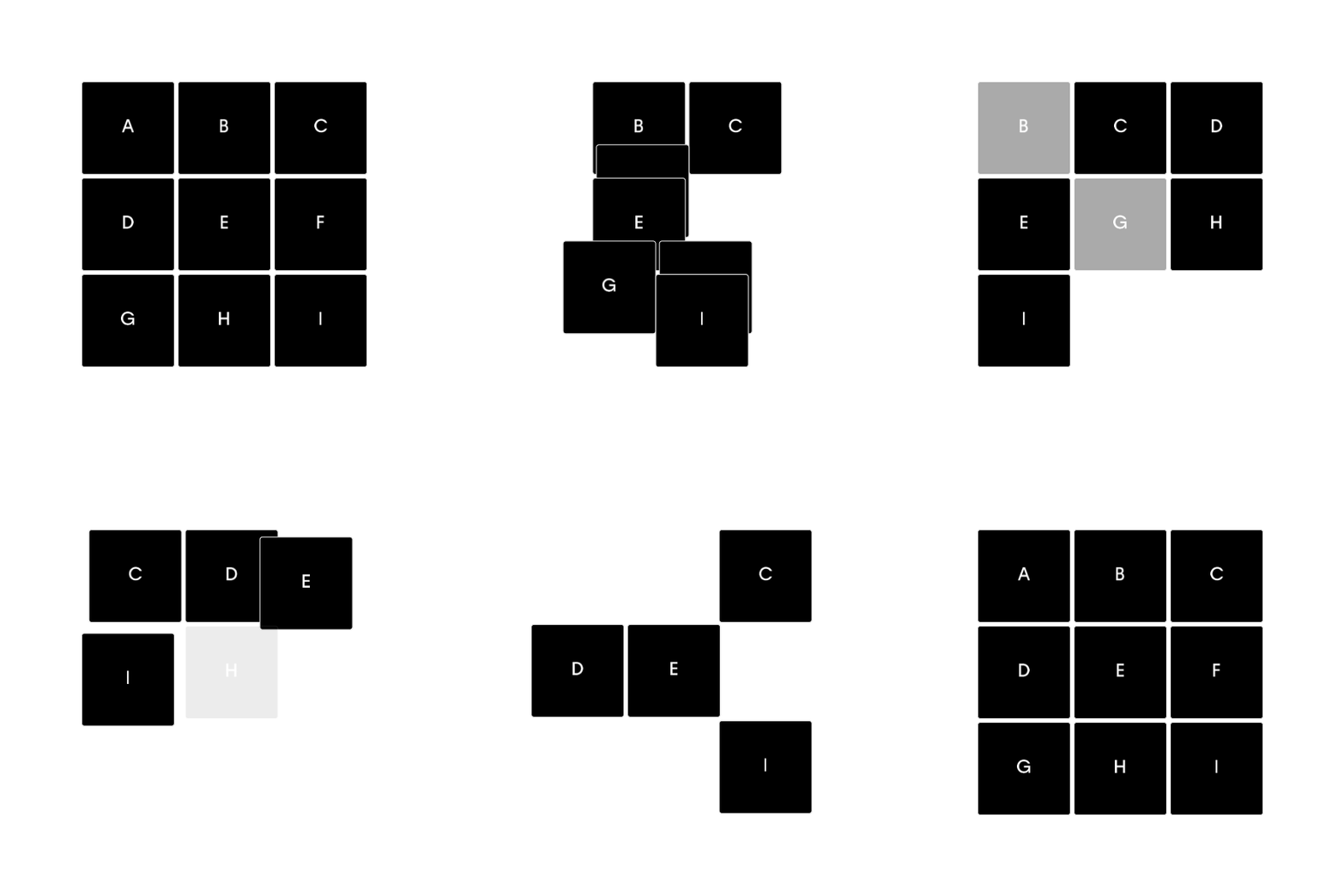
Shuffle Grid
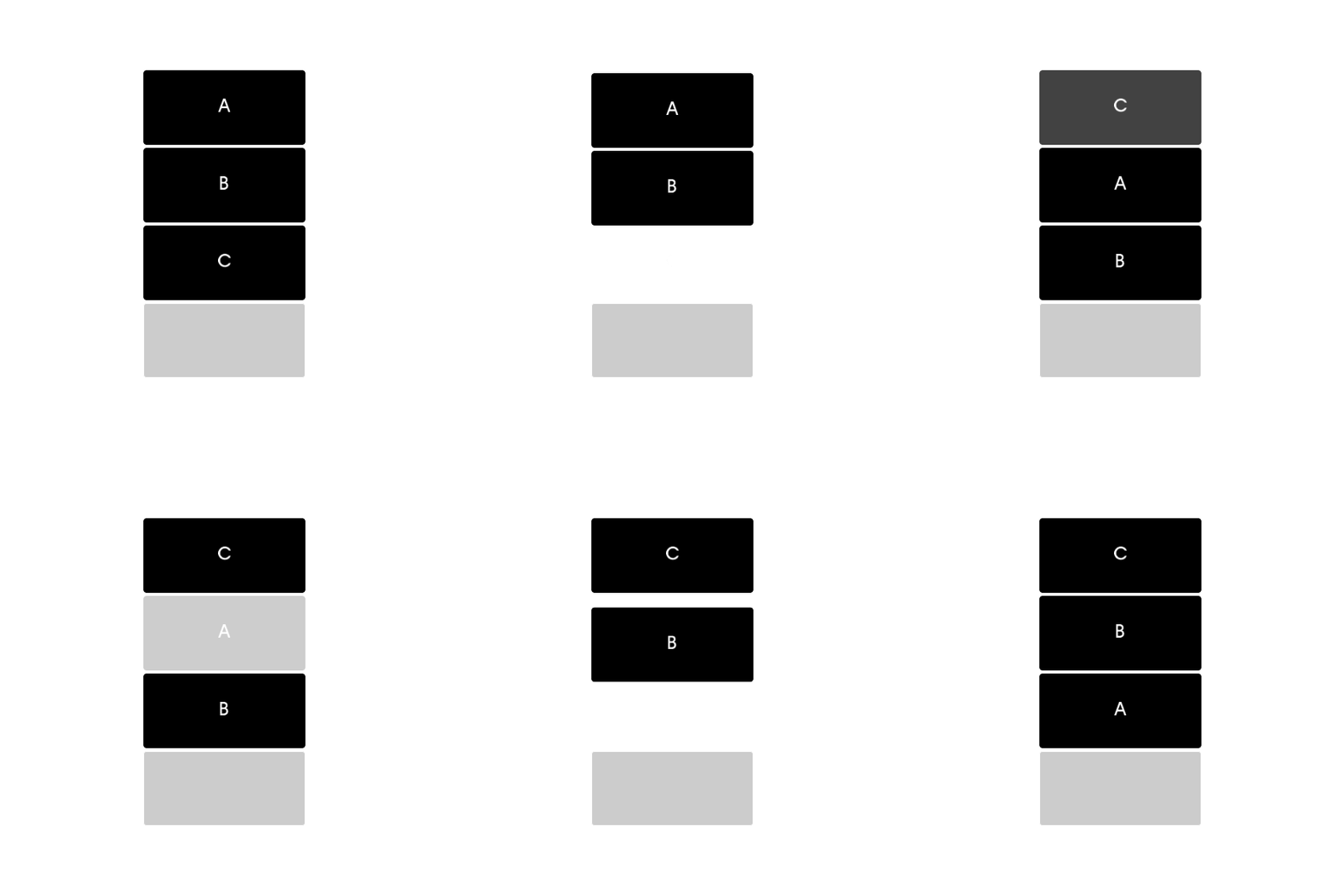
Shuffle Row
Choreography documentation
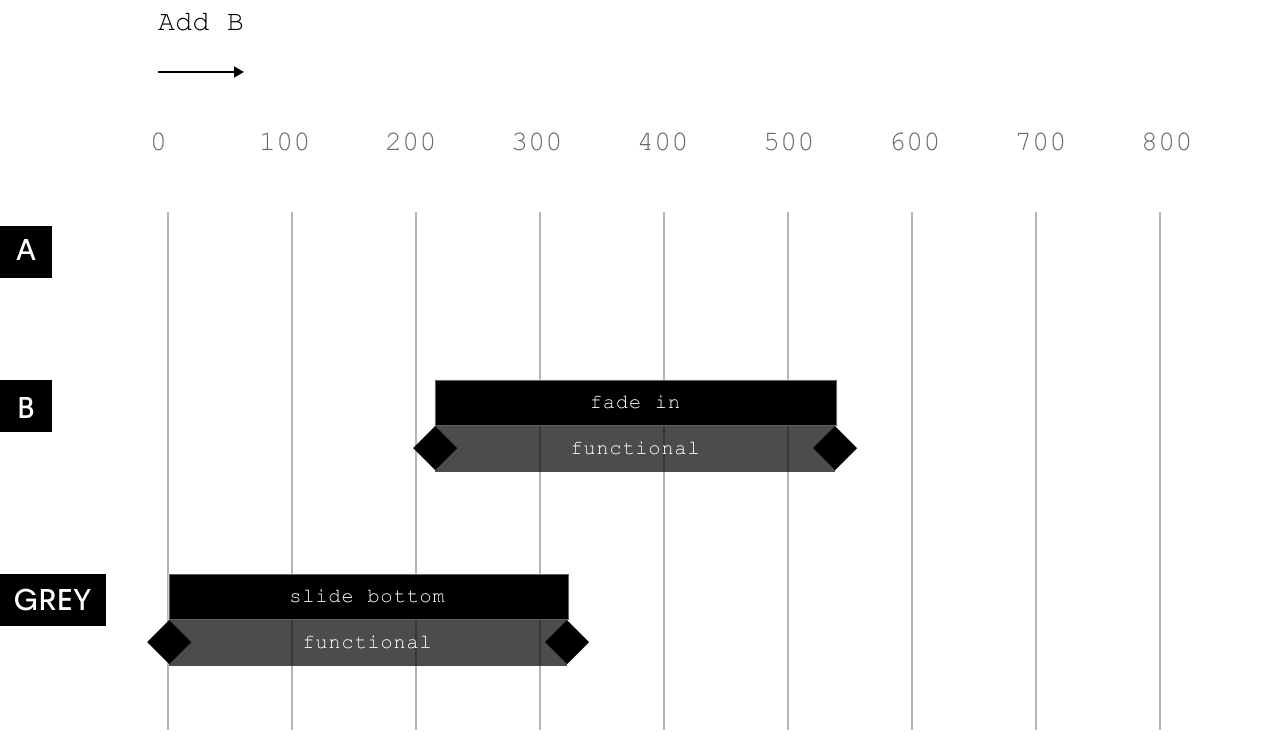
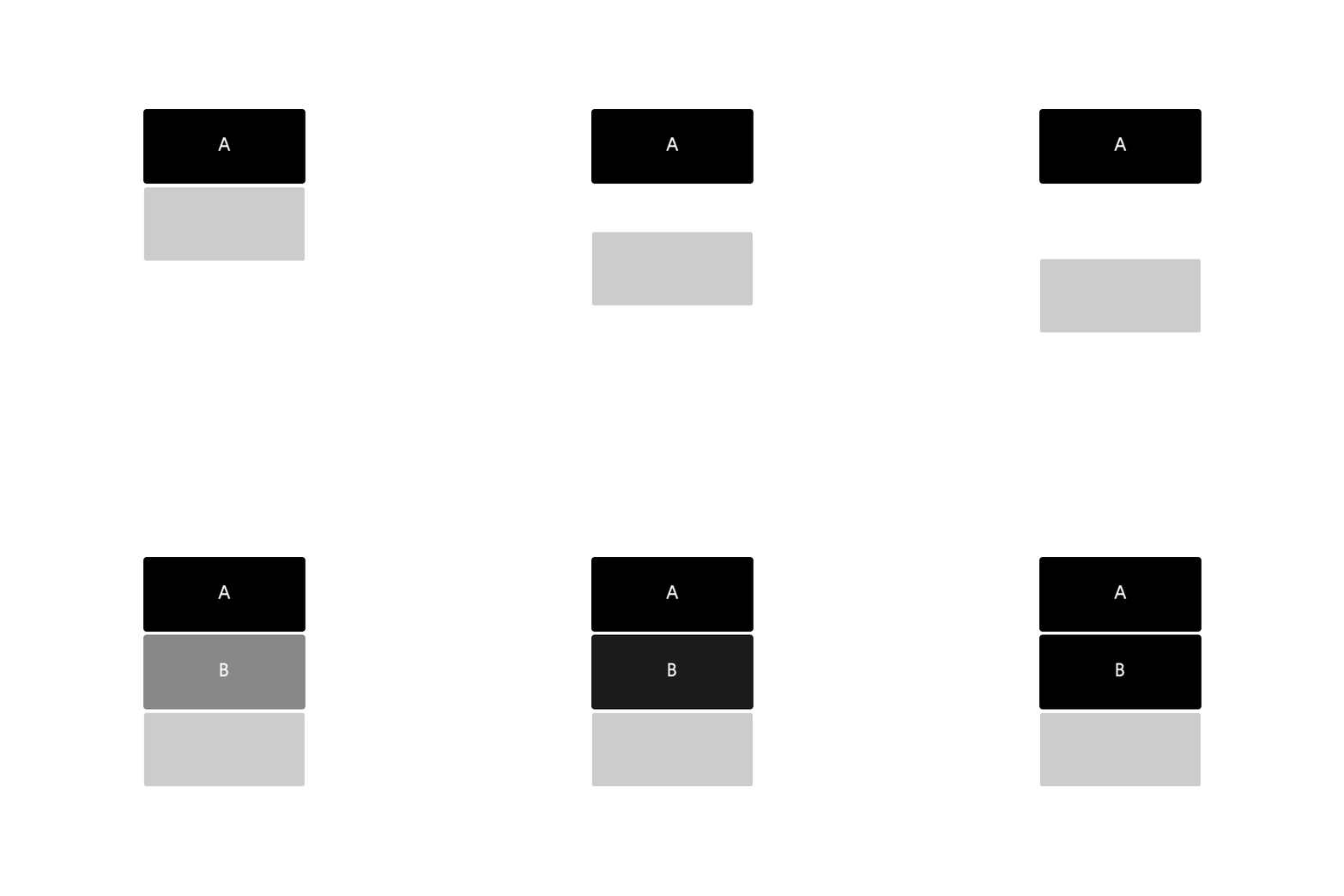
For each reusable choreography, there are a set of specifications that can be detailed so there is no ambiguity in the handoff to development. For each of the choreographies, we’ve added a description of the motion, where it is used, and a visual example of what the movement looks like. Additionally, each choreography has a timecard that details the combinations of L2 tokens and behaviors that are being applied to the components, as well as when they happen. Rather than approximating by looking at a prototype, this allows developers to see exactly what tokens are being used when and on what element so there is a direct translation from designs to development.
Add
Fade in the added element and push down the content below.

USAGE
Using the motion design system
For each reusable choreography, there are a set of specifications that can be detailed so there is no ambiguity in the handoff to development. For each of the choreographies, we’ve added a description of the motion, where it is used, and a visual example of what the movement looks like. Additionally, each choreography has a timecard that details the combinations of L2 tokens and behaviors that are being applied to the components, as well as when they happen. Rather than approximating by looking at a prototype, this allows developers to see exactly what tokens are being used when and on what element so there is a direct translation from designs to development.
Specifications for developers
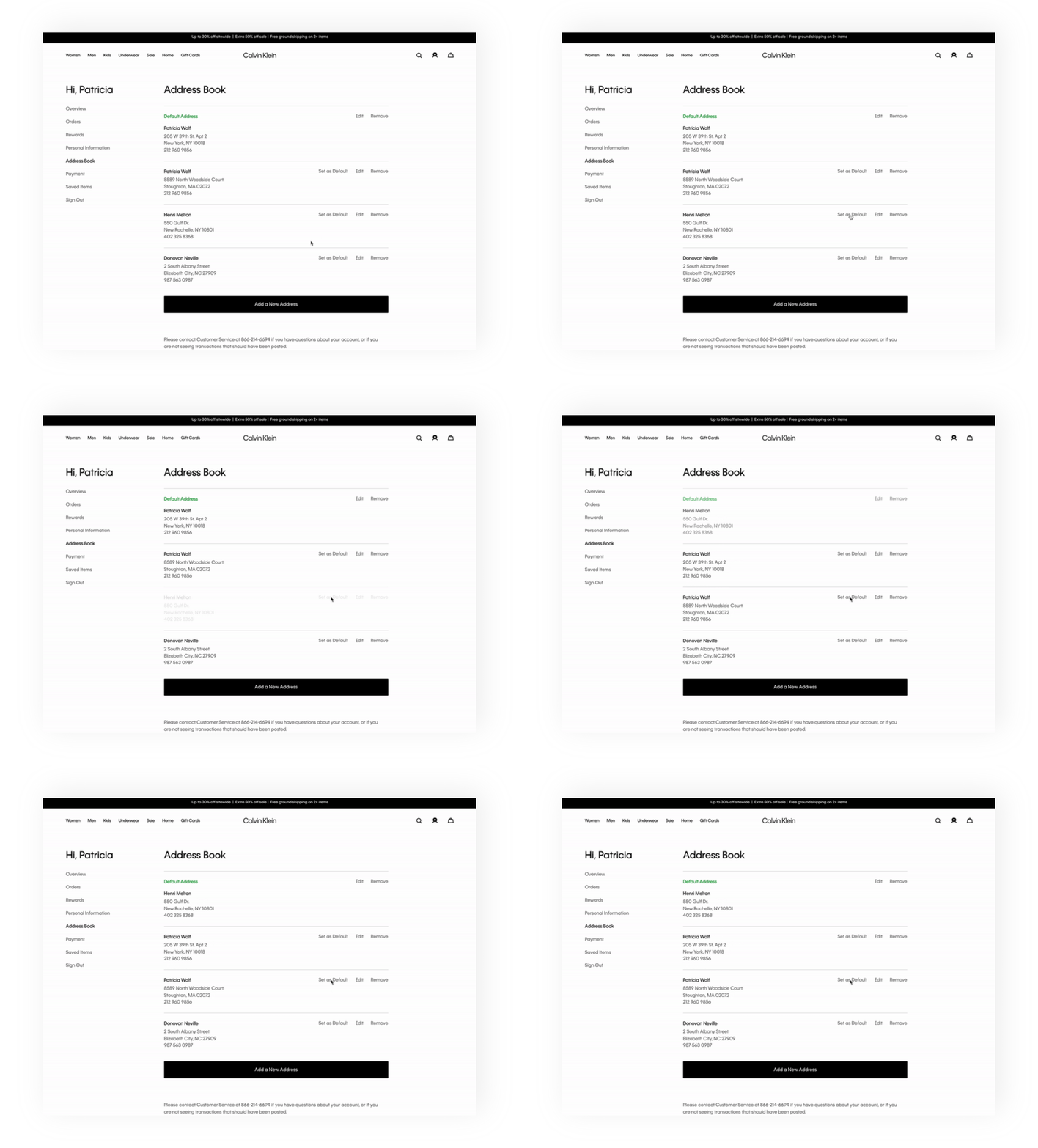
In the example of adding the animation for adding a saved address, we specify that on clicking the CTA to add a new address, the add choreography should be applied.

Resulting animation
Using these specs, here is what the final animation would look like in production.
CONCLUSION
Benefits of the motion design system
Systematizing motion makes it easier for us to integrate and scale motion into our projects so we can ultimately integrate more little sparks of joy that improve a product’s experience. Through this system, designers do not need to make a custom prototype for every motion and developers are not left to implement animations with lots of ambiguity. Instead, we use a system that allows for more consistent, accurate, and scalable motion that can be implemented in a shorter amount of time.
Future steps
Evaluating and testing the system
Due to time constraints, our team had to problem-solve on a strict timeline. While we knew that our motion design system worked for all current animations and we considered how it would scale, I wonder how it will stand with all future animations at Calvin Klein. Here are a couple of questions I would evaluate further if I had the time:
Will the system scale for all future animations?
Should custom animations be documented? Should they even be allowed?
How can we work more closely with developers to ensure the motion system is supporting their needs?